
What Is a Remote Mission?
Same structure as an on-site mission. One machine, briefed and quoted up front, a written record at the end. The difference is the technician works over a connection you provide instead of travelling.
- No travel time, travel cost or accommodation
- Far less scheduling hassle
- Can often start the same day
- It no longer matters how far away the right specialist lives
What Can and Cannot Be Done Remotely
The line is physical. If it needs hands, tools or parts, somebody has to be on site. Software, configuration or diagnosis usually works remotely.
Often works remotely
- PLC and HMI troubleshooting, logic and timer faults
- Drive and servo parameter setup
- Recipe, alarm and configuration problems
- Program backups, restores and version comparison
- Guiding your own staff through a procedure
- Diagnosis ahead of an on-site visit
Needs somebody on site
- Mechanical repair, alignment or replacement
- Wiring faults and physical inspection
- Measurement requiring instruments at the machine
- Commissioning needing physical verification
- Anything where no remote access exists
There is a middle case. You have a competent person on site but no specialist. A remote technician can talk them through it. The hands are yours, the know-how is theirs, and it often saves a call-out.
Posting a Remote Mission, Step by Step
Same flow as an on-site mission, with one addition: how the technician reaches your equipment.
1. Choose Remote and select the machine
- Same machine-driven matching as an on-site mission
- Brand, industry and equipment type detected automatically
- A photo of the screen, alarm or fault state is the most useful attachment
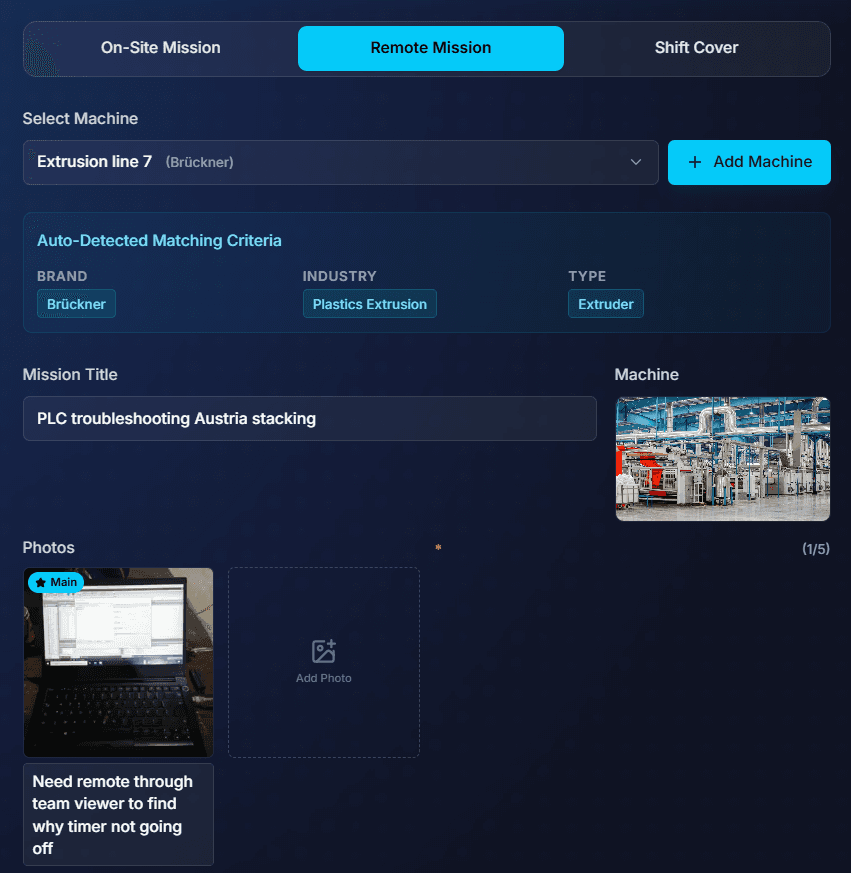
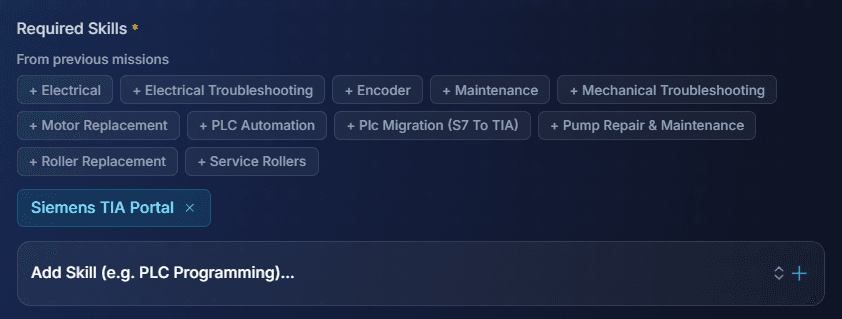
2. Name the software as well as the skill
- Remote work depends on the tooling
- Knowing one vendor environment does not transfer to another
- Licences are not interchangeable
- Tag the actual platform. It decides who can even open your project file
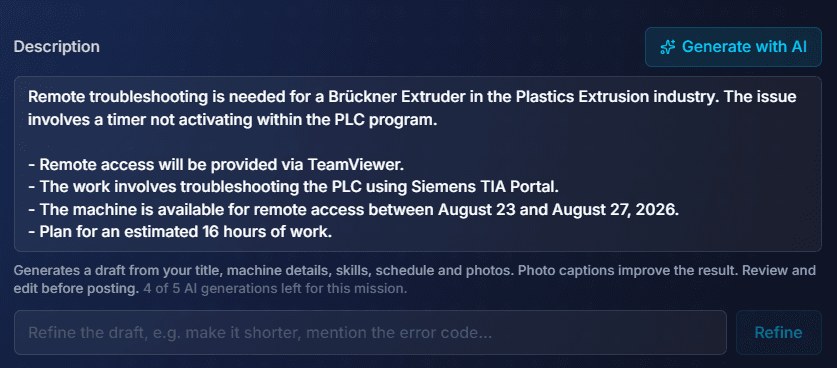
3. Describe the fault precisely
- Drafted from machine details, skills, schedule and photo captions
- A precise brief gets better quotes
- The technician can prepare before the session
- Otherwise your first billed hour goes on orientation
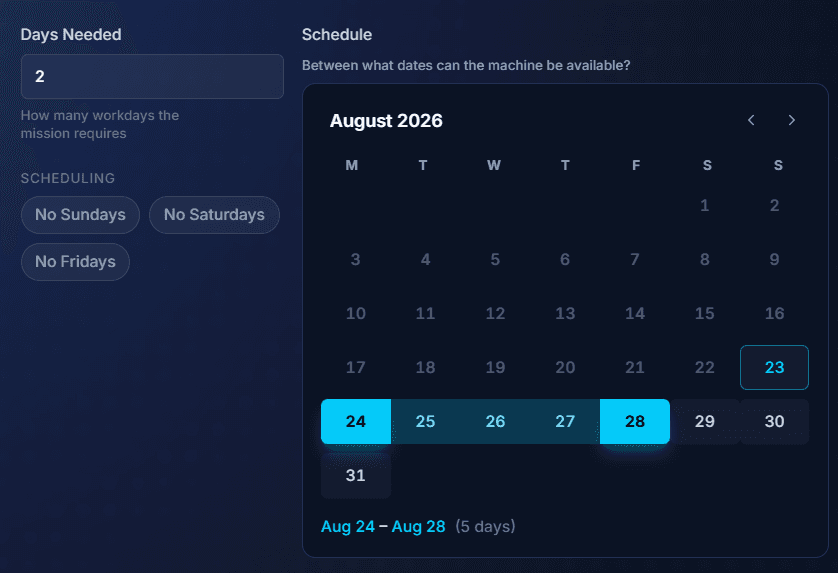
4. Days needed and access window
- Usually shorter than on-site: often one or two days
- The window is when the machine can be made available for access
- On a running line that may be a narrow slot, not a whole shift
5. Connection details
- The one step with no on-site equivalent
- Platform plus meeting link or contact information
- Visible only to the assigned technician, not to applicants or anyone else reading the mission

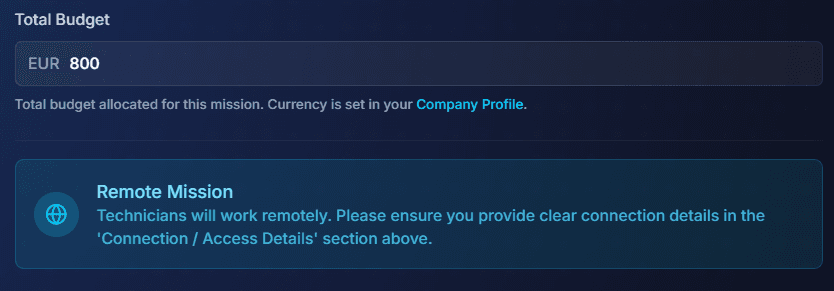
6. Set the budget
- Typically well below the on-site equivalent
- No travel, no accommodation, no time lost in transit
- A reminder prompts you to check the access details are clear
7. Publish
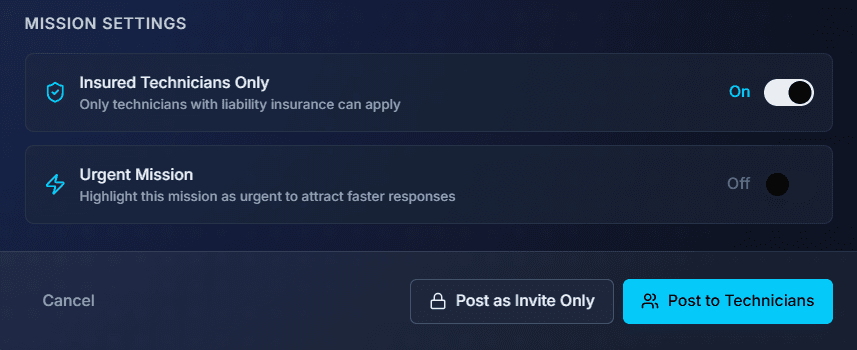
- Post openly or invite specific technicians
- No travel limit, so a wider and more specialised field
- Often faster to fill than the same work on site
Giving Remote Access Sensibly
Treat remote access to industrial control systems like any other external connection. Your IT and OT policies come before anything written here. If you have a formal third-party access process, use it.
- Enable access for the session and disable it afterwards
- Keep somebody from your side on the call while work is carried out
- Take a verified backup of the program before anything is changed
- Scope access to the equipment concerned, not the wider network
- Agree in advance what may change live and what needs a planned stop
Never put credentials in a public mission description. Connection details go in the dedicated field, which only the assigned technician can see.
Cost, Quotes and the Platform Fee
6%
flat platform fee
- 3% payment processing + 3% platform
- Marking a mission urgent adds 4%
- Nothing else is ever added
- Charged on top of the technician's rate, so the technician keeps 100% of what they quote
- Does not scale with headcount or mission length
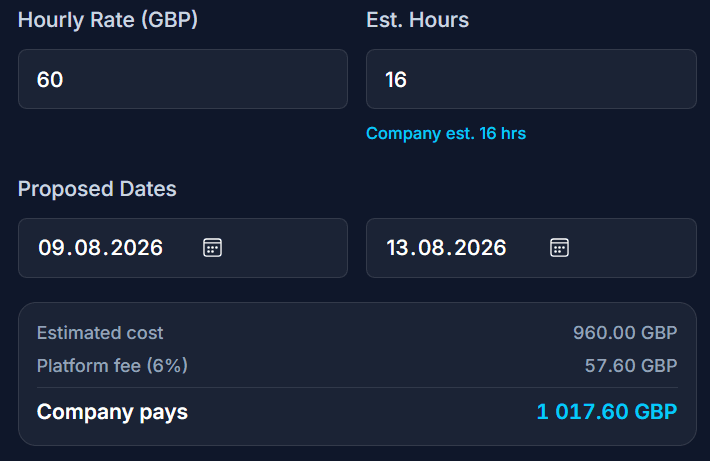
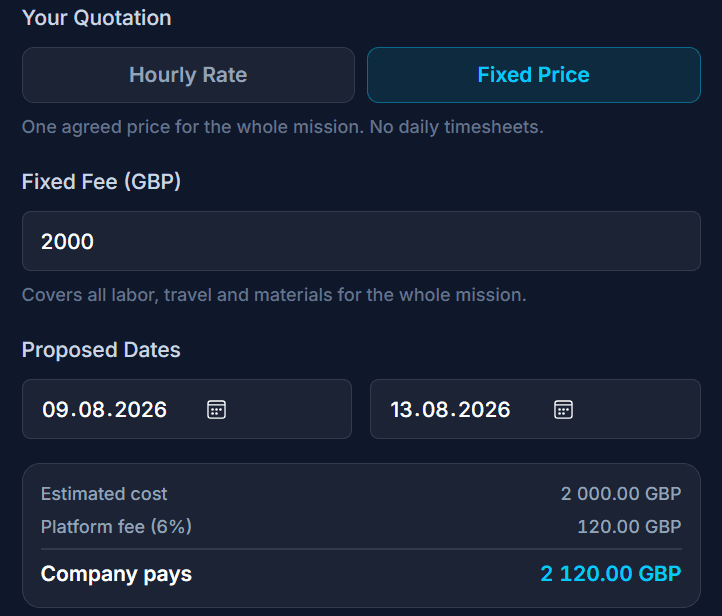
- Quoted hourly against estimated hours, or as a single fixed price
- Compare quotes alongside profiles and completed missions
- No agency margin between you and the specialist
- Nothing charged for travel that never happened
How the technician quotes: hourly or fixed price
A remote mission is quoted the same way as an on-site one. The technician picks hourly or a single fixed price, and the quotation shows the arithmetic before it is sent. The 6% platform fee goes on top. The technician keeps 100% of what they quote, and you see exactly what you will pay.
The bigger saving is the travel itself: the time, the mileage or flights, the hotel and the day lost in transit. For a two hour software fix, those costs often exceed the work itself.
Remote First, Then On-Site If Needed
Put a remote mission in front of the site visit. A short remote session ends one of three ways.
Solved remotely
Configuration or software cause
Diagnosed, not fixed
Physical work confirmed necessary
Ruled out
Suspected cause eliminated
Both mission types live on the same platform. So the technician who diagnosed it remotely can be invited straight to the on-site follow-up, and arrives already knowing the machine.
Disclaimer: This guide is provided for general informational purposes only and does not constitute professional, legal, or financial advice. All rates, timelines, and market data referenced are indicative estimates based on general market observations and may not reflect current conditions. Actual costs, qualifications, and regulatory requirements vary by country, industry, and project. Always verify information with relevant local regulations, obtain professional advice where appropriate, and request multiple quotes before committing to any engagement. FindFST accepts no liability for decisions made based on the content of this guide.
Try Solving It Remotely First
Connect a specialist to your equipment and find out whether the fault needs a site visit at all.
Book remote industrial troubleshooting directly. No middlemen, just a flat 6% platform fee.