
AI Matching for Field Service Technicians
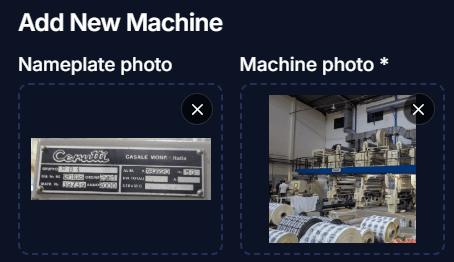
- Reads a machine from its nameplate photo
- Drafts the mission title, description and requirements from your photos
- Builds a technician profile from a CV and past reports
- Scores every match from 0 to 100 and shows why
- Nothing changes until you click
Technician? See what the engine does for you.
How it works
Reads what you upload
Machine photos, nameplates, manuals, CVs, service reports and certificates.
Suggests, you decide
Every draft and every tag waits for your click. Nothing is added until you accept it.
Matches and explains
Every technician scored from 0 to 100 against the mission, with the reasons and the gaps.
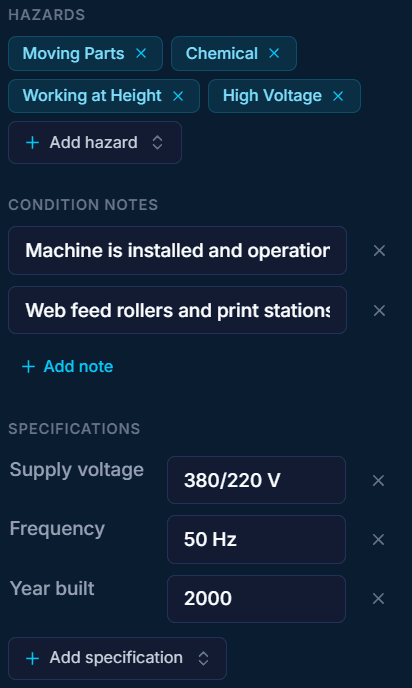
Add a machine from two photos
- Photograph the nameplate, the machine, or both. Either one starts a read
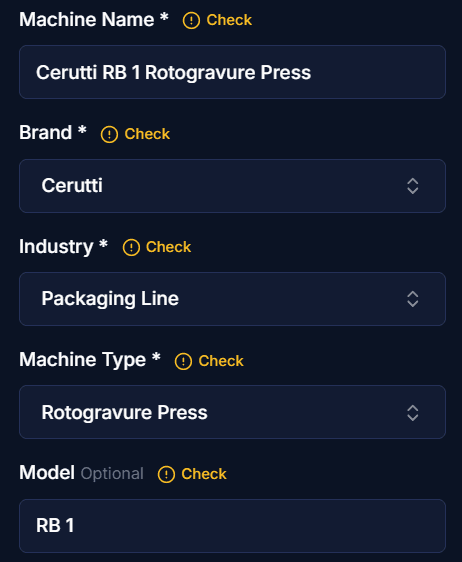
- Name, brand, industry, type and model are filled in and marked Check for you to confirm
- The brand printed on the plate is kept, never swapped for a better known maker
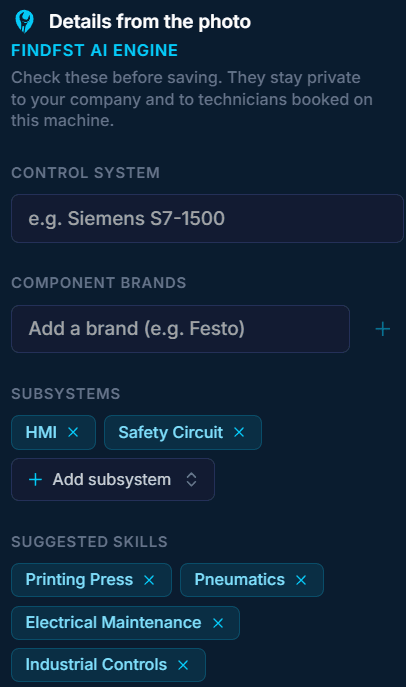
- Control system, component brands, subsystems, skills, hazards and specifications read from the photos
- Those details stay private to your company and to technicians booked on that machine
- Manuals and datasheets can be read too. They add technical detail, never a new name
The engine drafts your mission
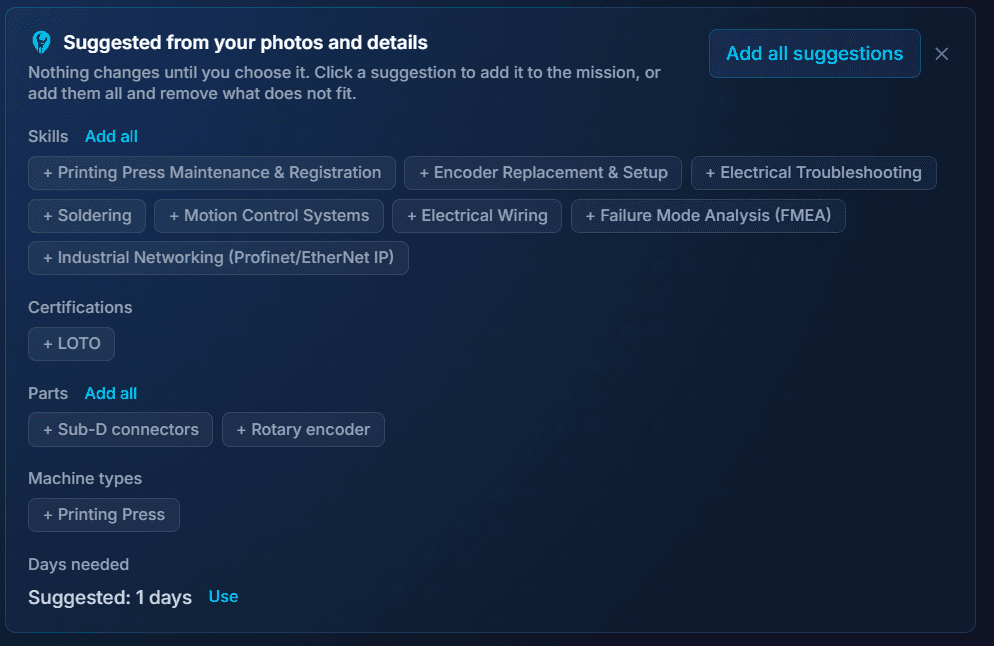
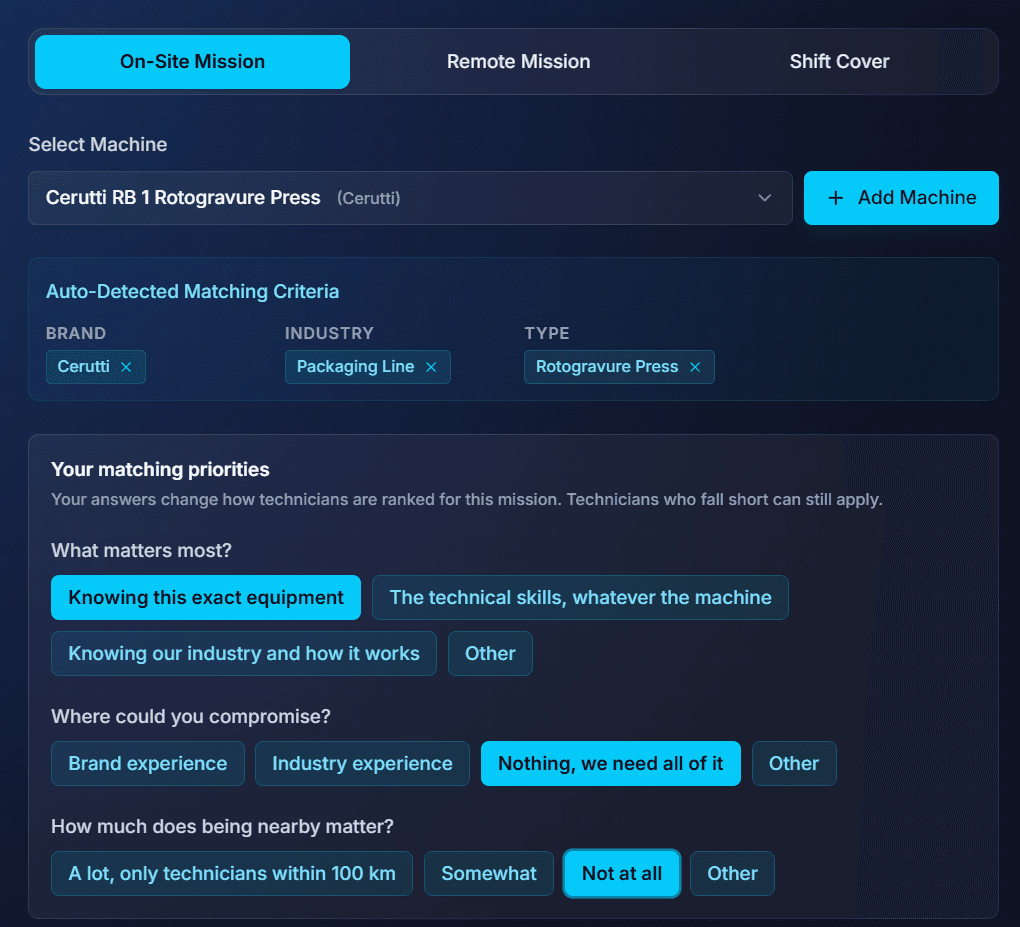
- Select the machine: its brand, industry and type become the matching criteria
- Answer up to four priority questions: what matters most, where you could compromise, distance and certifications
- Your answers change how technicians are ranked. Technicians who fall short can still apply
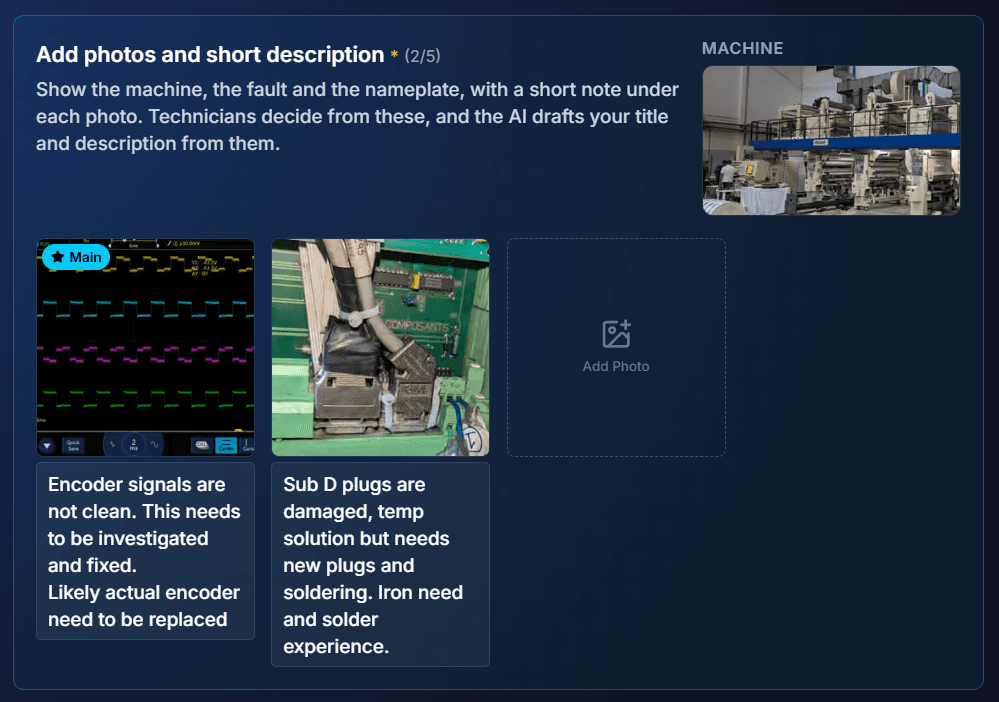
- Add photos of the machine, the fault and the nameplate, with a short note under each
- The photos and notes are the engine's main source
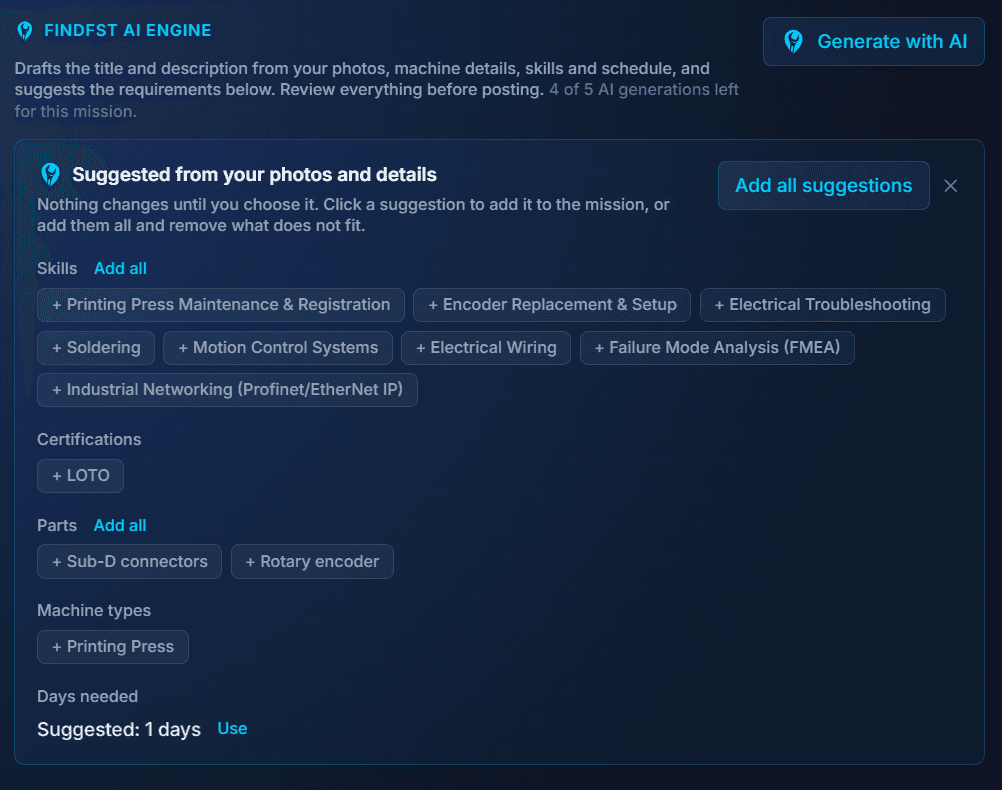
- One press of Generate with AI drafts the title and the description
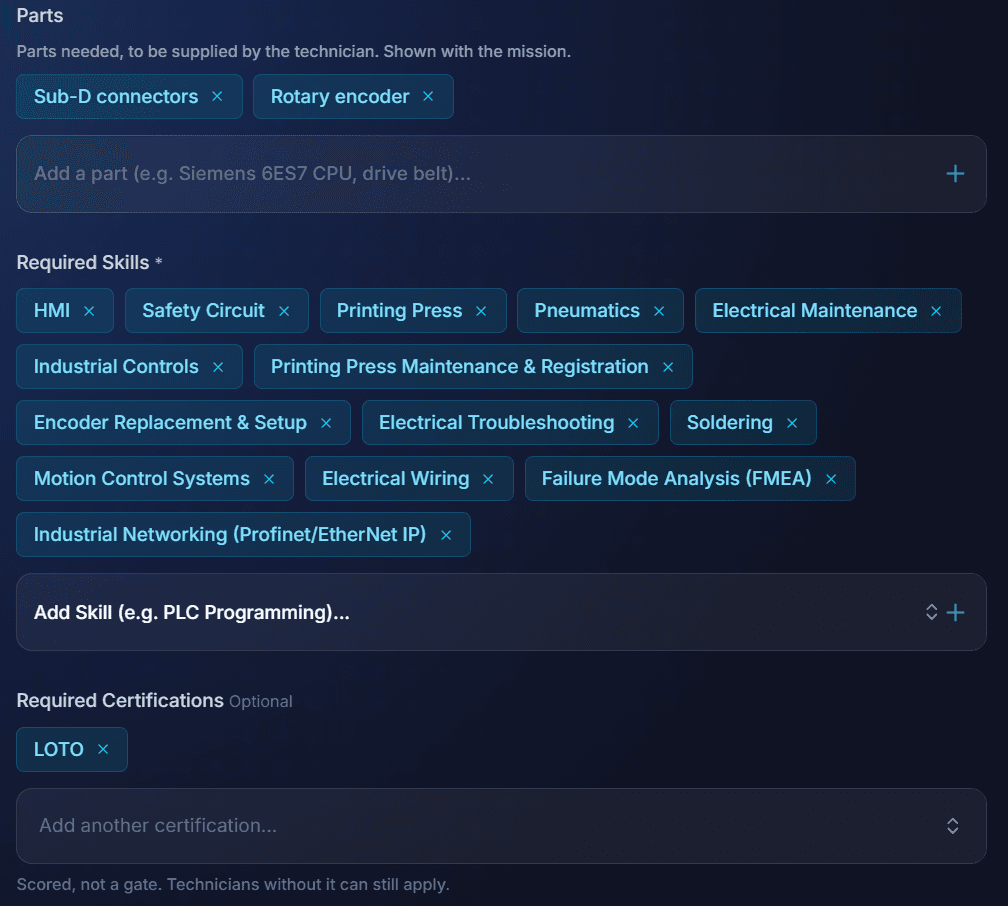
- Skills, certifications, parts, machine types, brands, industries and days needed arrive as chips
- Nothing is added until you click it, one by one or with Add all
- 5 AI generations per mission, refines included
- Correct it in plain words with Refine
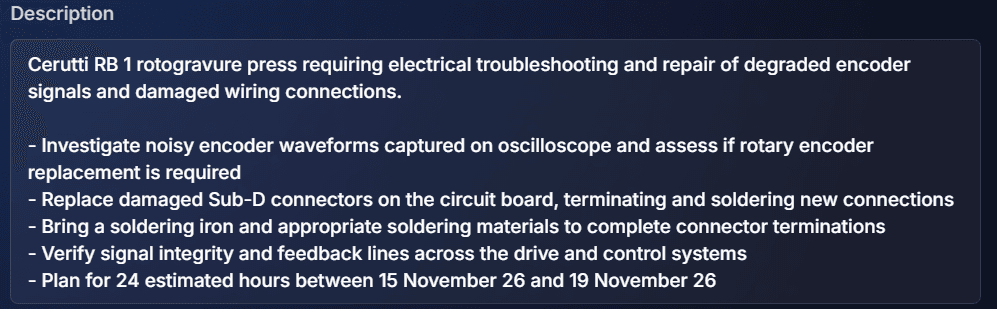
- The description is rewritten and the suggestions are worked out again
- Skills the correction took out of the scope are offered for removal
- If the refine changes the work itself, the title is updated too, with Undo
Example: Cerutti RB 1 rotogravure press
- Input
- The machine, plus 2 photos: an oscilloscope trace captioned "encoder signals are not clean" and damaged Sub-D plugs captioned "needs new plugs and soldering"
- Title
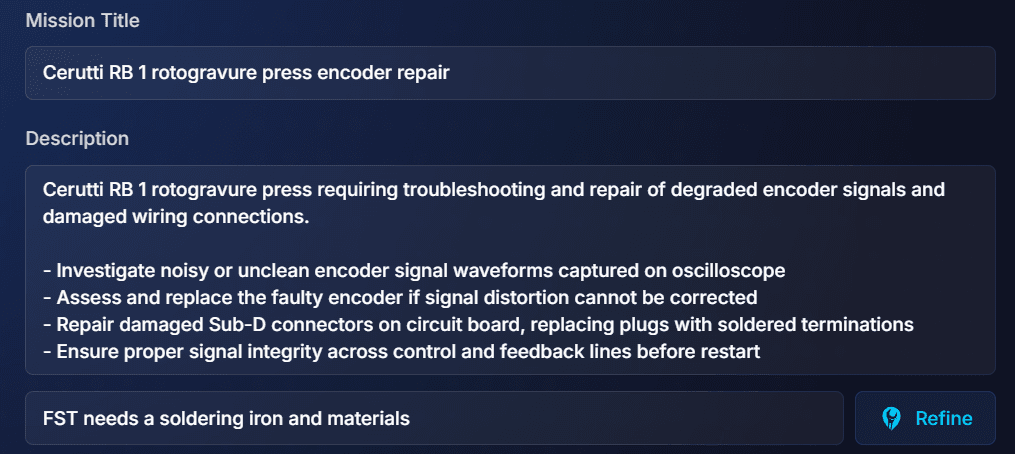
- Cerutti RB 1 rotogravure press encoder repair
- Requirements
- 8 skills including Encoder Replacement & Setup and Soldering, LOTO certification, 2 parts (Sub-D connectors, rotary encoder), 1 day
- Refine
- "FST needs a soldering iron and materials" added a line asking the technician to bring them
- Result
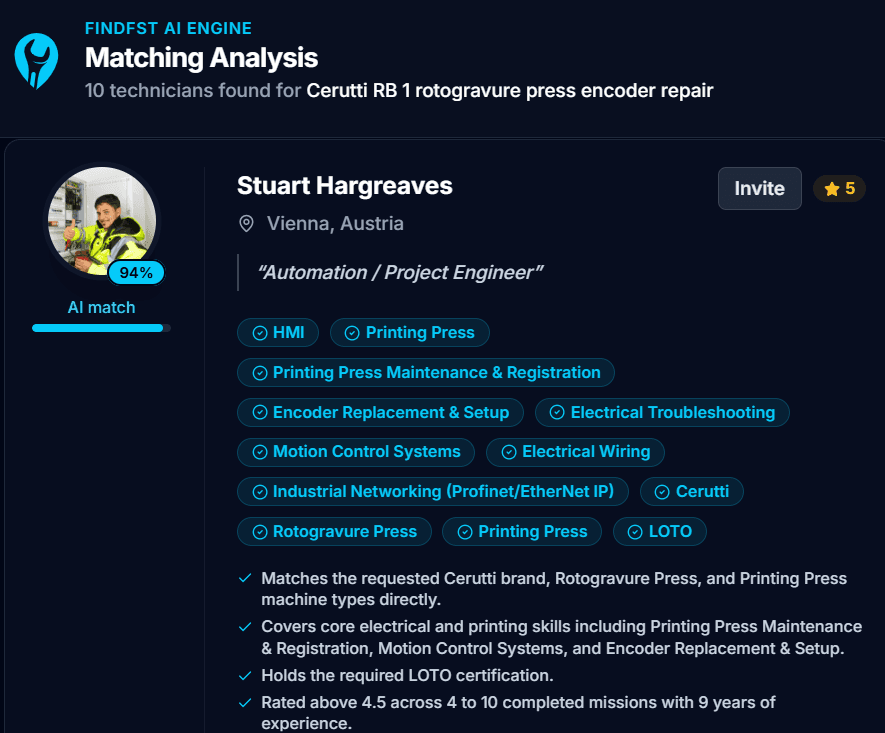
- 10 matching technicians, top match 94%
The FindFST AI Engine: a recruiter's work, done better
It does the matching a recruiter would do, for every mission, across every verified industrial field service technician on the platform, and it shows its reasoning. No CV pile, no phone calls, no agency margin. This is what sets FindFST apart.
Reads your mission
The machine, brand, type, industry, skills and certifications the work calls for, plus the priorities you set: what matters most and where you could compromise.
Checks every verified technician
Each profile is compared with what the work needs. The best matches are scored from 0 to 100.
Shows its reasoning
Every score comes with the reasons behind it and the gaps, and updates by itself when your mission or a technician's profile changes.
Keeps learning
Every completed mission is recorded against the match that led to it: the score, the rating, whether the work ran on schedule. The engine is measured and tuned against those outcomes, so matching keeps improving.

Only structured profile data reaches the ranking, never free text, so nobody can write their way to the top. The score is advice: you choose who to invite and book.
Also in the engine
- Company profile: your About section drafted as short bullets from your machines and addresses. Only city and country are used, never a street
- Site inductions: upload the induction you give visitors, and the site requirements, arrival instructions and on-site contact are suggested from it, per address
- Mission reports: the technician's summary can be drafted from their daily logs and photos, so the report reaches you in short, factual bullets
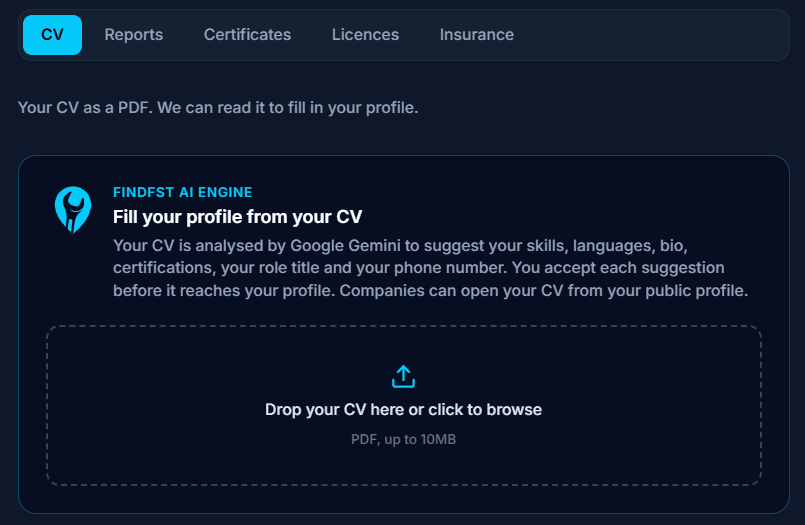
Build your profile from your CV
- Upload your CV as a PDF, up to 10 MB
- Skills, industries, machine types, brands, languages, bio, certifications, role title and phone number are suggested
- Accept each one, or all at once. Nothing reaches your profile until you do
- Dismiss a suggestion and it is not offered again
- Companies can open your CV from your public profile
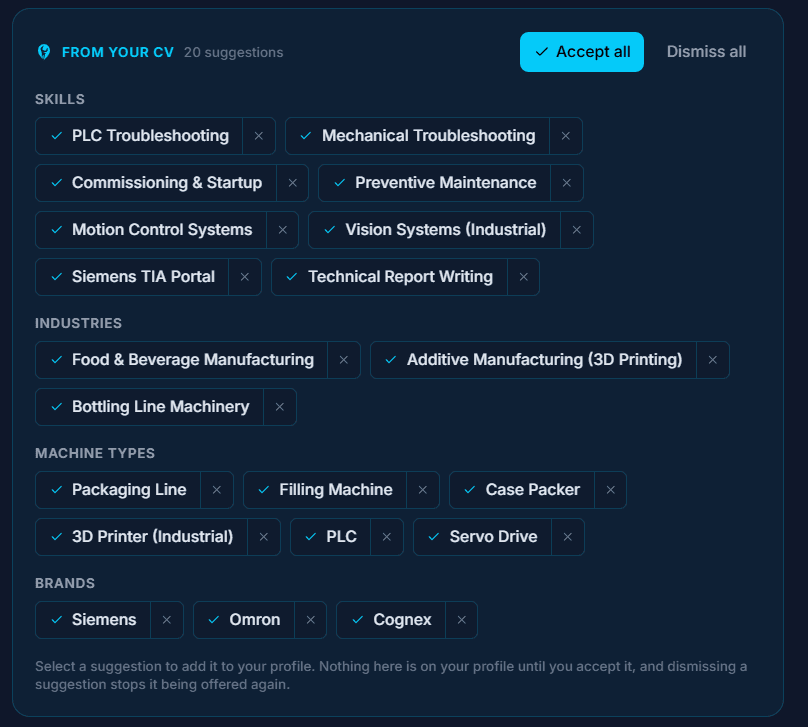
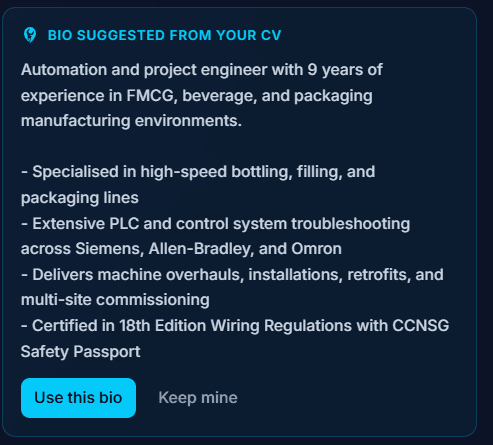
Example: An automation engineer's CV
- Skills
- 8, including PLC Troubleshooting, Commissioning & Startup and Siemens TIA Portal
- Industries
- 3, including Food & Beverage Manufacturing
- Machine types
- 6, including Filling Machine, Case Packer and Servo Drive
- Brands
- Siemens, Omron, Cognex
- Bio
- 9 years in FMCG, beverage and packaging lines, in 4 bullets
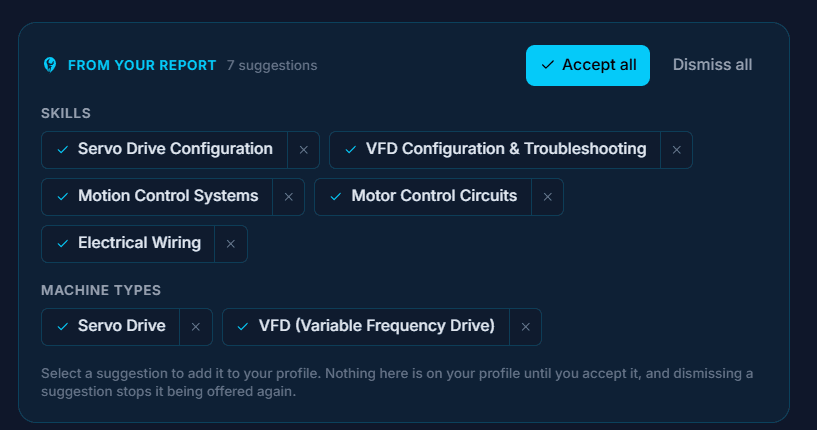
Turn past reports into proof
- Upload service or inspection reports: PDF or image, 10 MB each, up to 20
- Each report is read automatically after upload
- Skills, machine types, brands and industries it shows are offered as chips
- A summary is drafted. It stays private to you until you publish it
- Companies only ever see the summary you publish
Certificates, read not typed
- Upload a certificate: its type, issuer, number and dates are read for you to confirm
- No end date printed? An expiry is suggested from the certificate type, marked for you to check
- A certificate that never expires can be marked as such
- Skills named on it are offered as chips, like the CV and reports
Your match on every mission
- Every mission you browse shows your AI match from 0 to 100
- Sort the list by Match score
- Open How this AI match works for the reasons, the gaps and what the company said matters
- It is the same number the company sees for you
- It updates by itself when you edit your profile or the company edits the mission
A score you cannot game, and nobody else can either
- Only structured profile data is scored: platform skills, brands, machine types, industries, certifications and years of experience
- Your bio and any free text never reach the ranking, so nobody can write their way to the top
- Your rating and completed missions appear in the reasons, never in the number. Being new does not mark you down
- Distance never changes the score
Mission reports in minutes
- At the end of a mission, Generate with AI drafts the report summary from your daily logs and photos
- 4 to 8 short bullets, refined in plain words if you want
- It lands in the editor. You change what you like before the company sees it
6%
flat platform fee
- The AI Engine is included. No charge per read, draft or match.
- 3% payment processing + 3% platform. That is the whole fee.
- Charged on top of the technician's rate, never deducted from it.
- The technician keeps 100% of what they quote.
Common questions
Does the AI decide who gets booked?
No. It scores and explains. The company chooses who to invite and book, and the technician chooses which missions to apply for. No payment, booking or approval step reads the score.
Can a technician raise their score by writing more?
No. The ranking only sees structured profile data matched to the platform's own lists: skills, brands, machine types, industries, certifications and years of experience. A bio, a name or any free text never reaches it.
Does being new to FindFST lower the score?
No. Rating and completed missions are named in the reasons, but two technicians who meet the mission equally get the same score.
Does distance change the score?
No. When a company says being nearby matters a lot on an on-site mission, the list is limited to technicians within 100 km instead. The score itself stays the same.
Why can a score differ by a few points?
The same pair can come back a few points apart, up to about 10, so scores a few points apart are effectively level. Each score is stored and only recalculated when the mission or the profile changes, or when the company asks for a refresh, so the number you see stays put.
Does the AI change anything without me?
No. Every draft, chip and suggestion waits for your click, and nothing reaches a mission, a machine or a profile until you accept it and save.
Which AI does it use?
Google Gemini models. The upload cards say so wherever a document is read.
See It on Your Next Mission
Add a machine, post a mission, and see who matches and why. Free to create an account.
Hire industrial field service technicians directly, matched by the FindFST AI Engine. No agencies, just a flat 6% platform fee, and the technician keeps 100% of their rate.