
What Is an On-Site Mission?
One defined piece of work on one machine, at your site, done by a technician you hire directly. It has a fixed scope and a date window, the price is agreed up front, and a written report comes at the end.
- Sets the brand, industry and equipment type used to rank technicians
- Gives applicants the context they need to quote accurately
- Keeps the resulting report attached to the machine
On-site
One defined task on one machine, at your site, with a quote, a date window and a report at the end.
Remote
The same brief, solved over a connection. No travel, faster start.
Shift cover
A rota position rather than a repair. No single machine.
When On-Site Is the Right Choice
The wrong mission type brings poor applications.
Physical intervention needed
Parts, tools, hands on the machine
Fault not yet identified
Symptoms known, cause unclear
Commissioning or installation
New equipment, defined deliverable
An empty rota position
Presence needed, work unpredictable
Posting an On-Site Mission, Step by Step
The form is built around the machine. Each step changes who sees the mission and how closely they can price it.
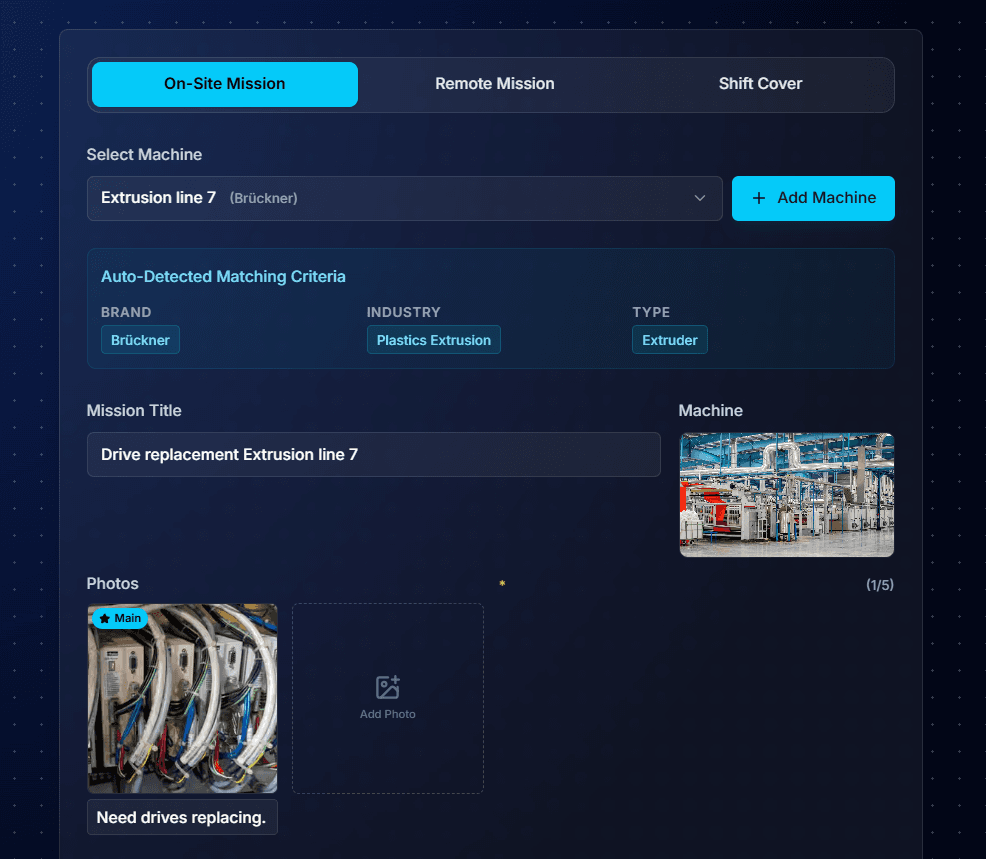
1. Select the machine and add photos
- Brand, industry and equipment type detected from the machine
- At least one photo required
- A shot of the fault code beats a general view of the machine
- Captions feed the description generator
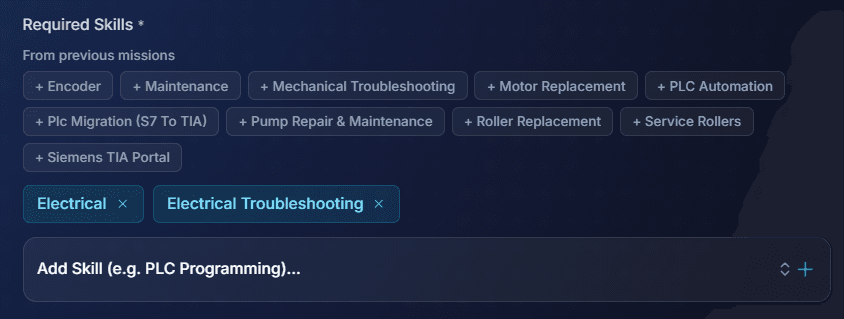
2. Set the required skills
- Over-tagging shrinks the pool and does not improve the match
- Tagging too little brings applicants who cannot do the work
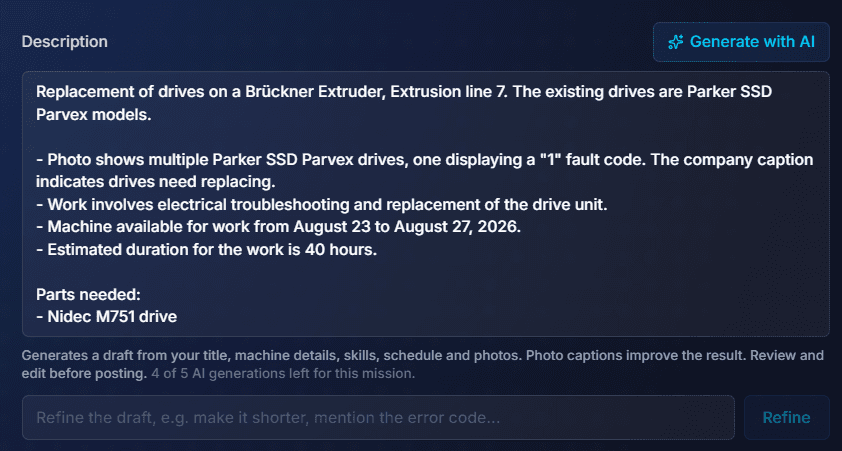
3. Write the description
- Drafted from title, machine, skills, schedule and photo captions
- Well-labelled photos give a better first draft
- Read it and edit it. Every applicant reads this
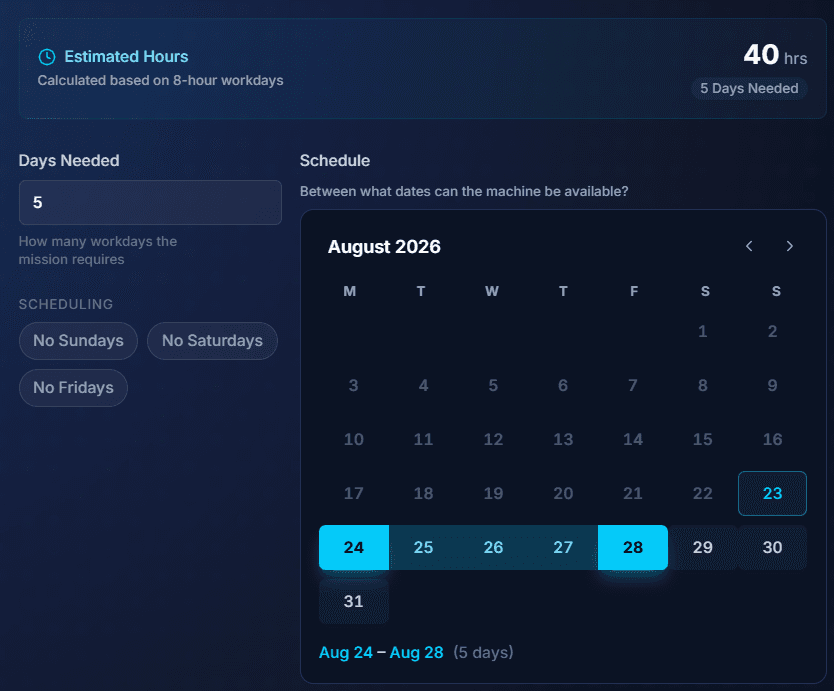
4. Days needed and machine availability
- Workdays required and the release window are separate fields
- A 2-day mission inside a 5-day window is easier to staff
- Estimated hours calculated for you
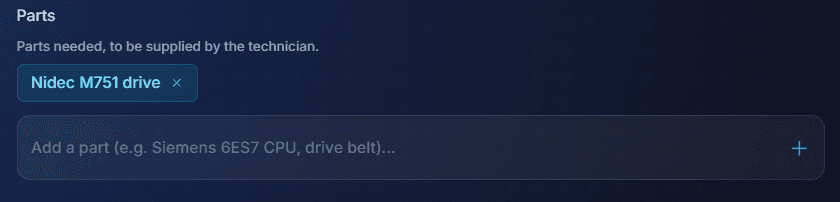
5. List the parts
- Name any parts the technician should bring
- Exact part numbers prevent wasted visits
- Supplying parts yourself? Say so in the description
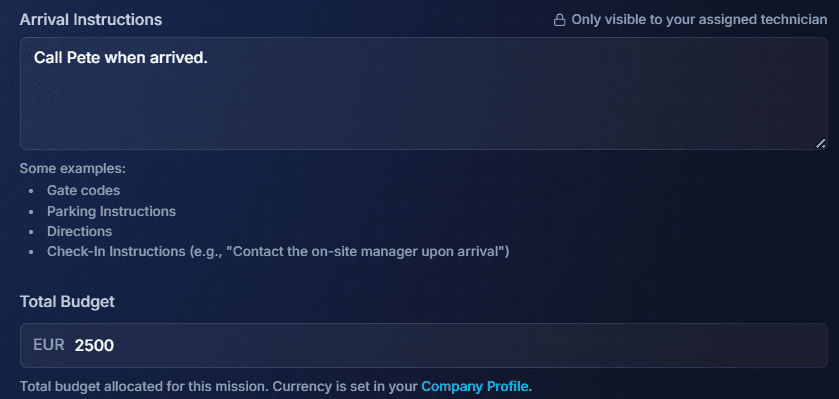
6. Arrival instructions and budget
- Gate codes, parking, directions and check-in contact
- Visible only to the assigned technician, never to applicants
- Stored on the mission, not emailed the night before
- Budget is optional. Leave it open and technicians quote their price
7. Perks and site requirements
- Transport, hotel or canteen make travel missions more attractive
- Hard hat, hi vis, ESD and lock-out come from your company profile
- Applicants know before applying whether they qualify

8. Publish
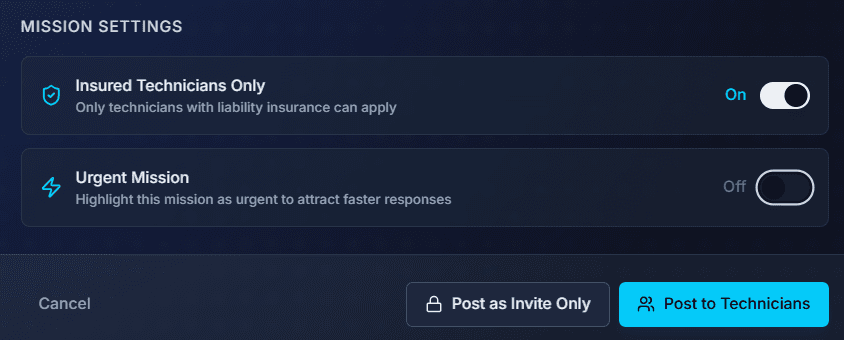
- Post openly, or invite only for confidential work
- Require liability insurance if you need it
- Flag it urgent to get faster responses (the platform fee is then 10%)
How the Machine Drives Matching
- Skills carry the most weight, but brand, equipment type and industry all count
- Somebody who has worked on that exact extruder knows things a general technician does not
- Shift cover is the opposite: brand is not scored, location dominates
- For a one-off repair, wait a day for the right person
- For a rota position you cannot wait. They have to be there every morning
Keep your machine list up to date. Every machine you add is one you can post on quickly.
Quotes, the Platform Fee and Payment
6%
flat platform fee
- 3% payment processing + 3% platform
- Marking a mission urgent adds 4%
- Nothing else is ever added
- Charged on top of the technician's rate, so the technician keeps 100% of what they quote
- Does not scale with headcount or mission length
- Unlike shift cover, the technician quotes an on-site mission
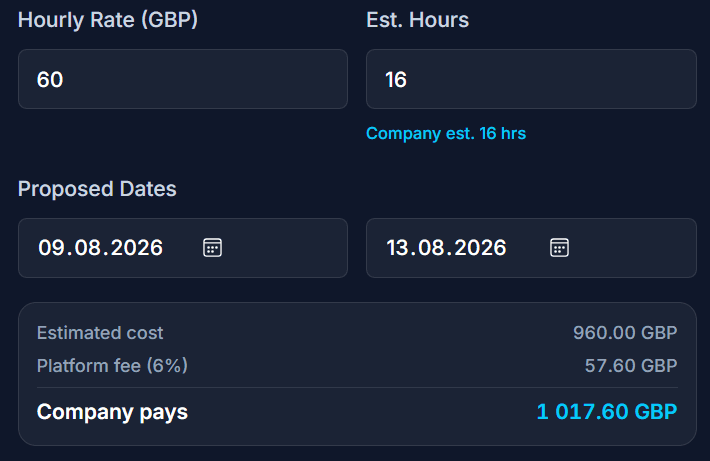
- Hourly against your estimated hours, or one fixed price for the whole mission
- Compare quotes next to profiles, ratings and completed missions
- Payment is taken up front and held. It is released on completion
- Agency margins are charged per hour worked, commonly 25% to 50%
Hourly suits
- Uncertain scope
- Fault finding
- You pay for the hours you approve
Fixed price suits
- Well-defined work
- Planned replacement or commissioning
- Moves overrun risk to the technician
How the technician quotes: hourly or fixed price
Either way, the quotation shows the sums before it is sent. The 6% platform fee goes on top of their amount. The technician keeps 100% of what they quote, and the company sees exactly what it will pay.
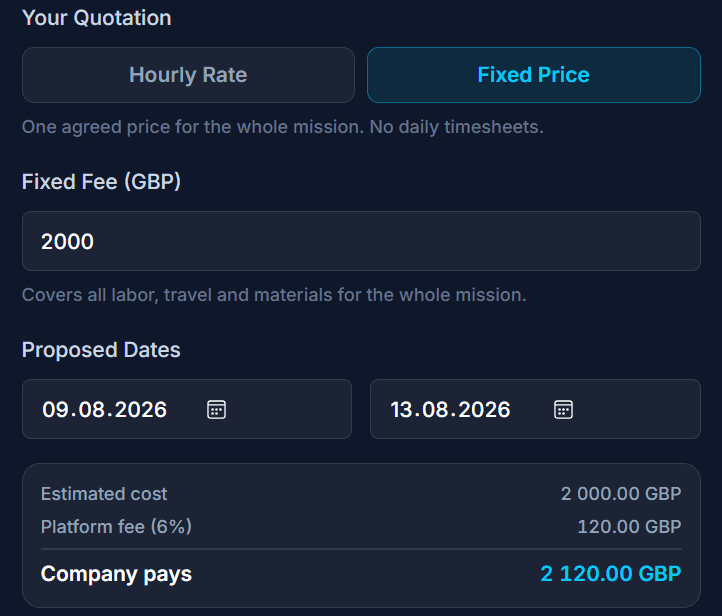
Neither is always cheaper. It comes down to how well you can scope the work before anybody arrives.
Timesheets, Extra Costs and the Mission Report
- The technician logs hours as they work and can attach photos
- You approve each timesheet, or enable automatic approval
- Approved hours feed the final settlement
- Anything unforeseen is raised as an extra cost and needs your approval first
- Nothing is charged silently
An on-site mission produces a mission report. It records what was found, what was done and what is still outstanding, with photos and daily logs attached. Keep it. It becomes the maintenance history for that machine.
Writing a Brief That Gets Good Quotes
A technician quoting is estimating two things: how long the work takes, and what could go wrong. A vague brief gets a padded quote, since padding is the only way to cover the unknown.
- The exact model and revision, not just the brand
- Fault codes and error messages, word for word
- What has already been tried, and what it ruled out
- Whether documentation, drawings or software backups exist
- Whether the machine will be isolated and ready when they arrive
- Who supplies parts, and whether they are already on site
- Access constraints: permits, inductions, restricted hours
If you do not know what the fault is yet, post a short remote mission first. Diagnosing over a connection costs less than diagnosing in person, and it turns a vague on-site brief into a specific one.
Disclaimer: This guide is provided for general informational purposes only and does not constitute professional, legal, or financial advice. All rates, timelines, and market data referenced are indicative estimates based on general market observations and may not reflect current conditions. Actual costs, qualifications, and regulatory requirements vary by country, industry, and project. Always verify information with relevant local regulations, obtain professional advice where appropriate, and request multiple quotes before committing to any engagement. FindFST accepts no liability for decisions made based on the content of this guide.
Post Your On-Site Mission
Post the machine and the fault. Verified technicians who know that equipment quote against it.
Hire industrial field service technicians directly for on-site work. No agencies, just a flat 6% platform fee, and the technician keeps 100% of their rate.