
What Is an FST Manager?
An FST manager, or field service manager, runs a team of technicians. It comes down to allocation. Right person, right work, and you stand behind the result.
- The owner of a small engineering firm with four engineers
- A subcontractor supplying technicians to OEMs
- An experienced technician who has grown past one pair of hands
Team Profiles in short
- One login holds every technician profile on your team, with no limit
- Each is a real, public profile with its own name, skills and verification
- Each can be sent to missions independently
- Companies see the individual technician, and that they are part of your team
- Payments for all of them settle to your single connected account
What Stays Individual and What Is Shared
A separate account per technician breaks down fast. Each needs its own payout, insurance and invoicing. None can be reassigned if the booked person drops out. And you have no single view of the team. Team Profiles keeps the individual things individual and shares the rest.
Held per technician
- Name, location and public profile
- Skills, machines and industries
- Identity verification documents
- Certifications and licences
- Completed missions and earnings
Shared across the account
- One connected payout account
- Liability insurance, linked per profile
- One login and one set of notifications
- A single view of every live booking
Building and Verifying Your Team
Your own profile has to be complete and your payout account set up first, because team members share it. Adding a technician is quick. Verifying them takes time, so start before you need them.
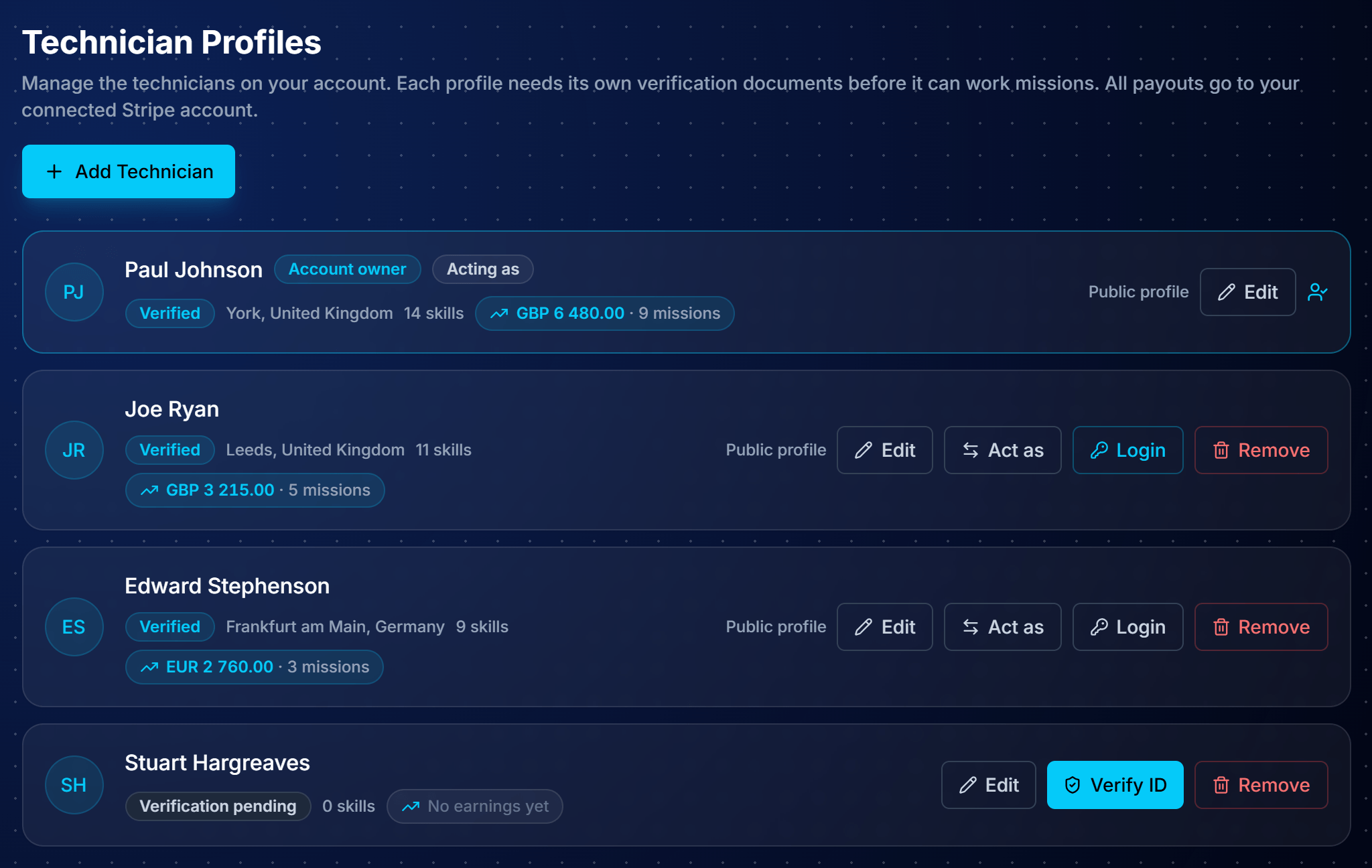
Your team roster
- Every profile in one list with verification state, skills and earnings
- Your own profile is marked as account owner
- Acting as shows which profile you are working as
- Switch between them at any time
Add a technician
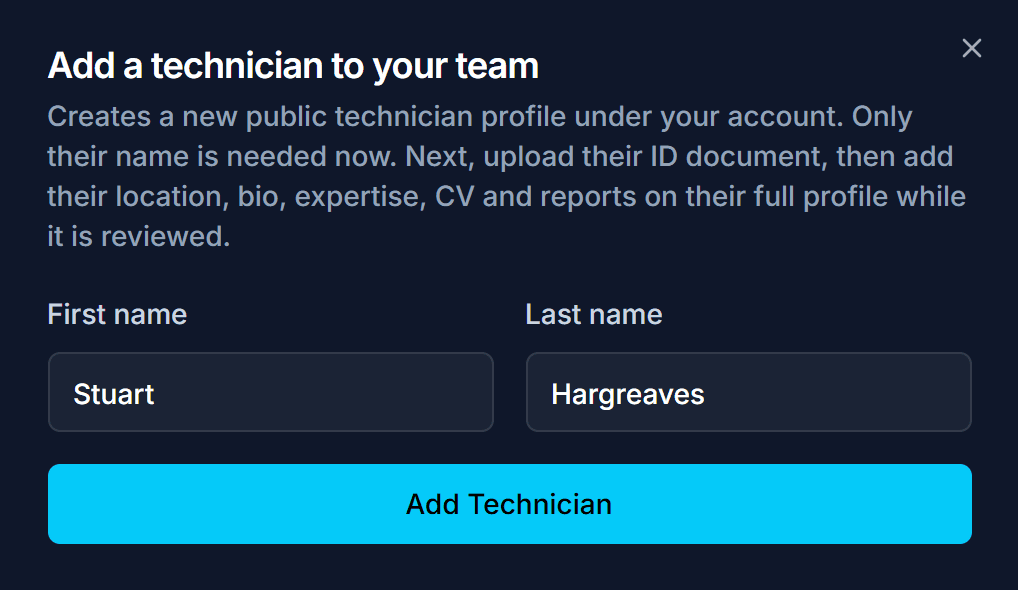
- Only their first and last name are asked for
- Creates a real, public technician profile under your account
- The dialog states the sequence: ID document next, then the full profile, CV and reports while it is reviewed
Verification pending
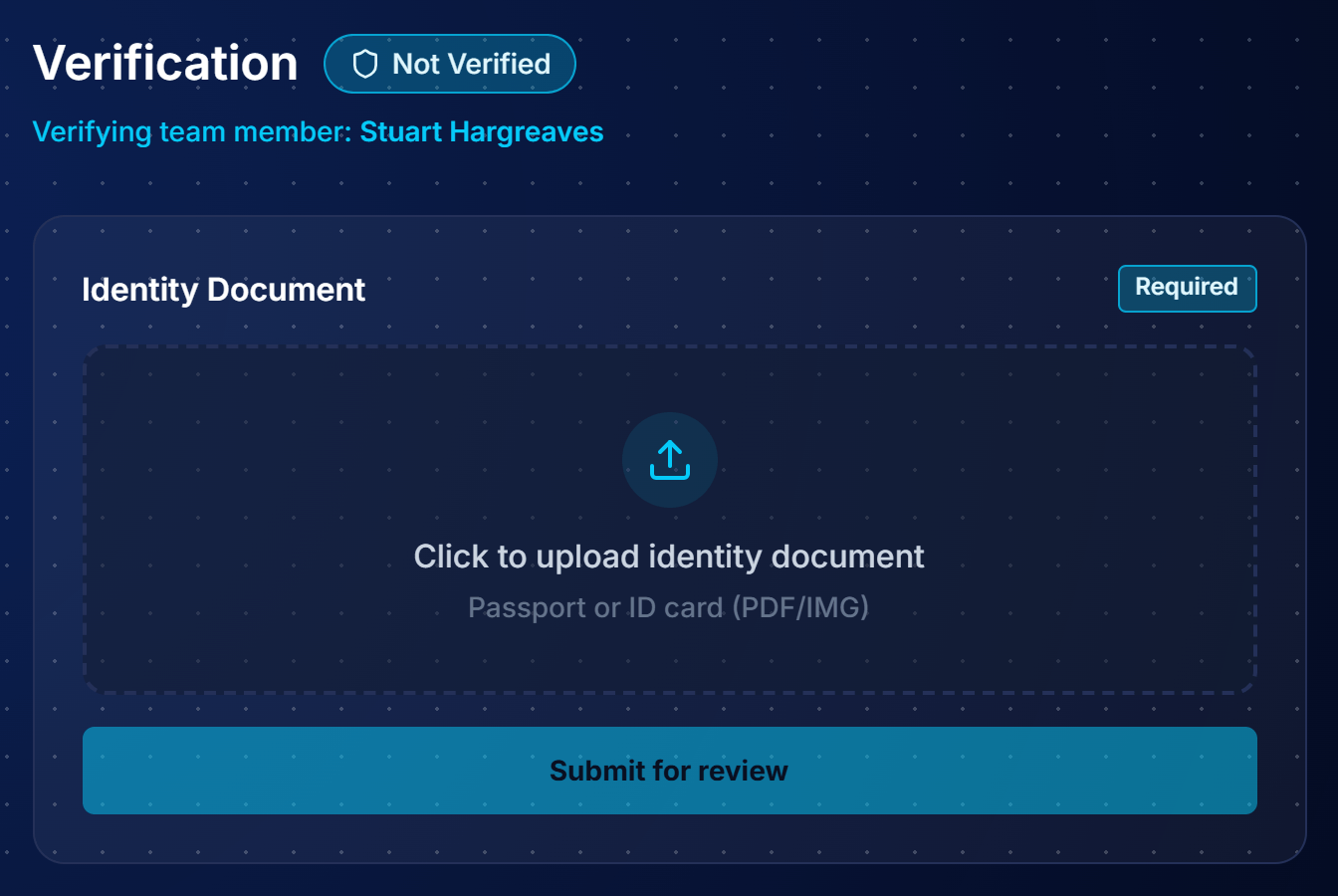
- Profile shows as verification pending
- Cannot be sent to missions yet
- Edit fills in their profile while the ID is reviewed
- Start this before you need the technician

Verify their identity
- Passport or national ID, required per technician
- Submitted for review on the profile's Verification tab
- Checked individually, not vouched for by you
- Companies rely on the person having been verified
Link the insurance
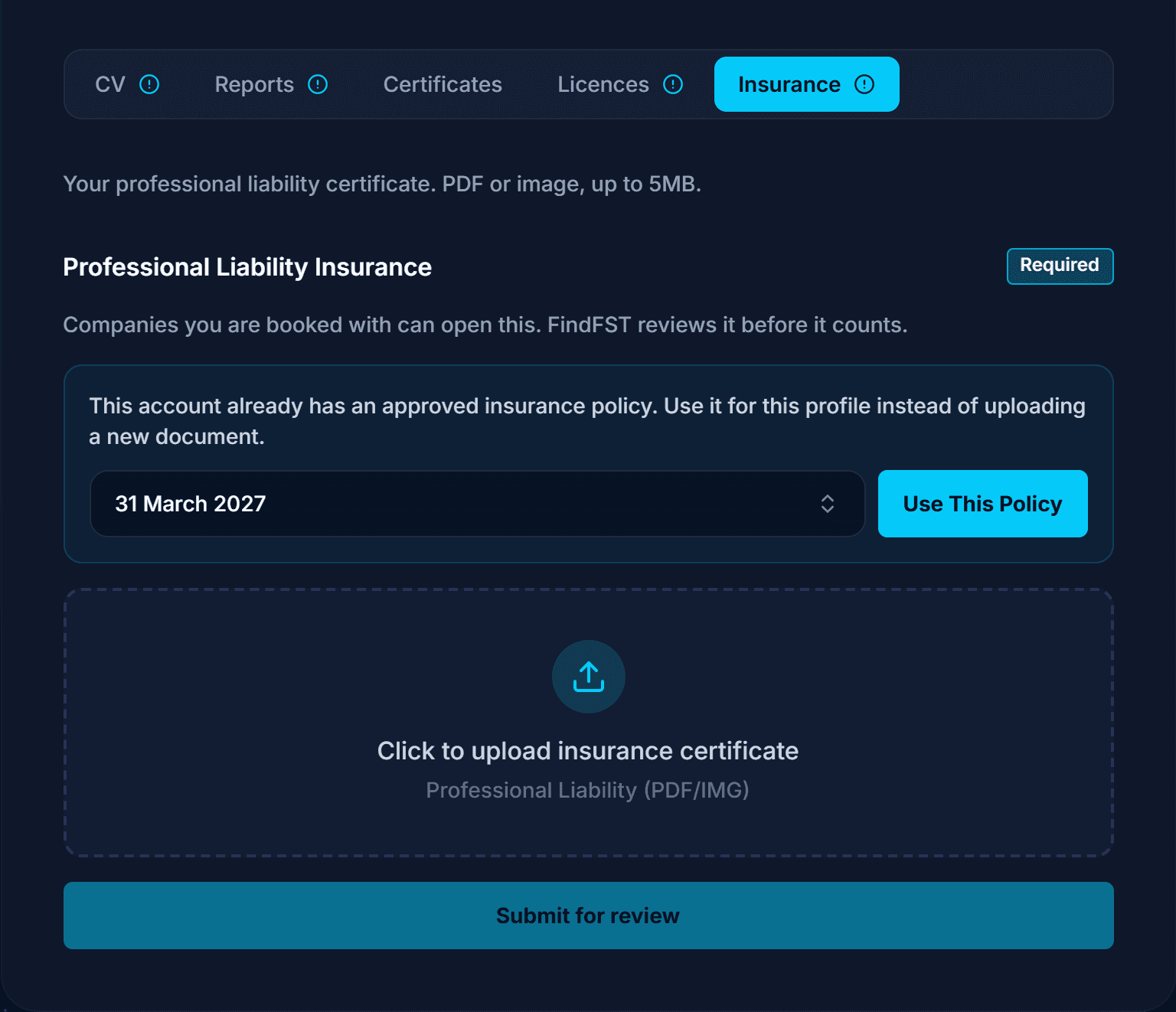
- Professional liability required, filed on the Uploads tab
- Reuse a policy already approved on your account instead of re-uploading it
- A firm-wide policy covers the whole team
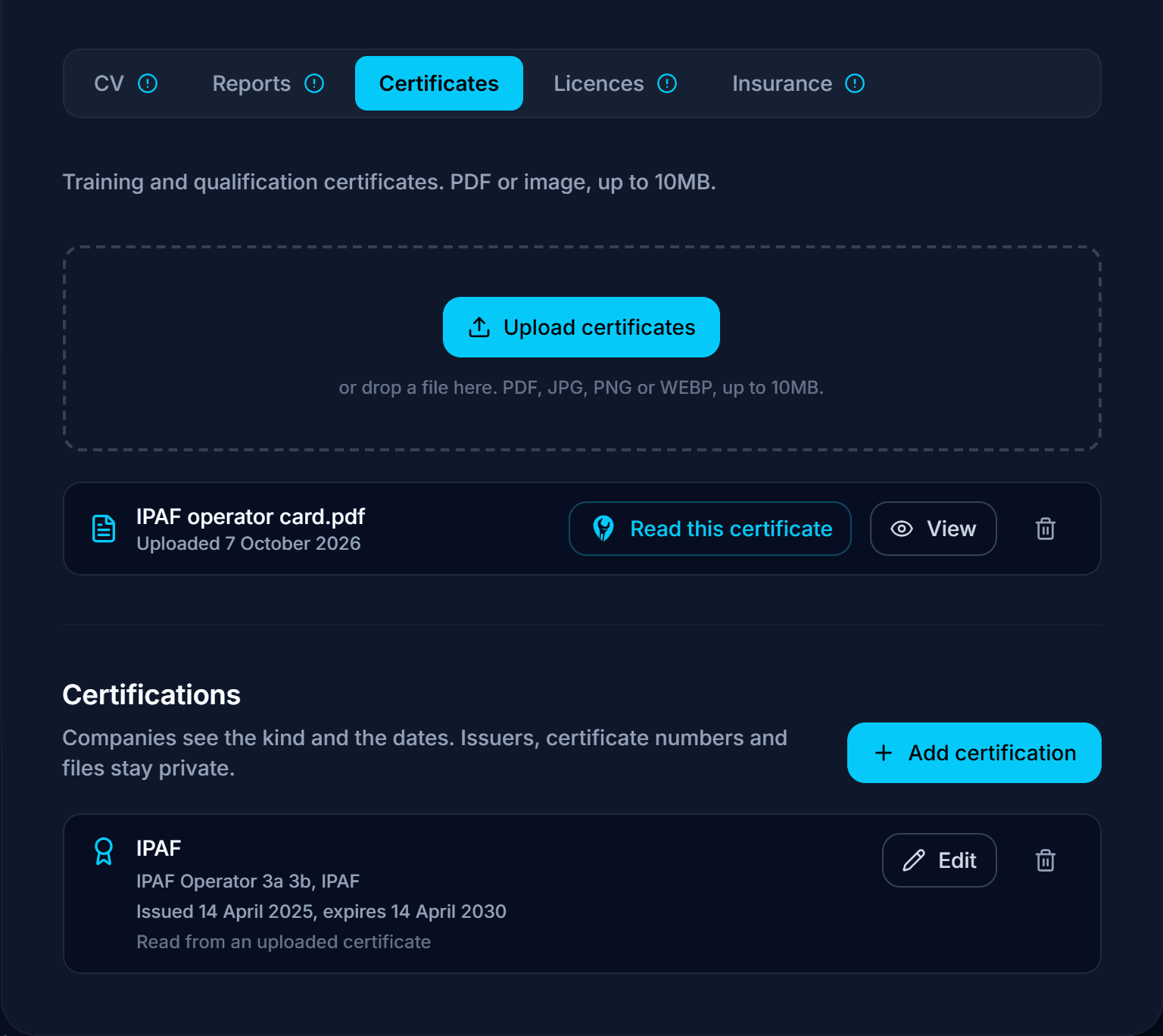
Add certifications
- Upload a certificate and the FindFST AI Engine reads the kind, name and dates
- Nothing counts until you confirm it
- Companies see the kind and the dates; issuers and certificate numbers stay private
- Missions can ask for a certification, so documented profiles match more work
Filling Each Profile from a CV and Reports
Upload each technician's CV and service reports from past work on the profile's Uploads tab, and the FindFST AI Engine reads them and suggests their skills. You can do it while their ID is still under review.
- Skills, machine types, brands and industries, offered as suggestions to accept one by one or all at once
- Certifications, a role title, a bio and a phone number from the CV
- A short summary of each report, private until you publish it
- Nothing reaches the profile until you accept it
Matching reads the accepted profile, so each document you upload helps put the technician in front of missions that fit.
Booking Your FSTs to the Missions You Choose
Allocation is one decision, made on the application. No separate dispatch tool to learn.
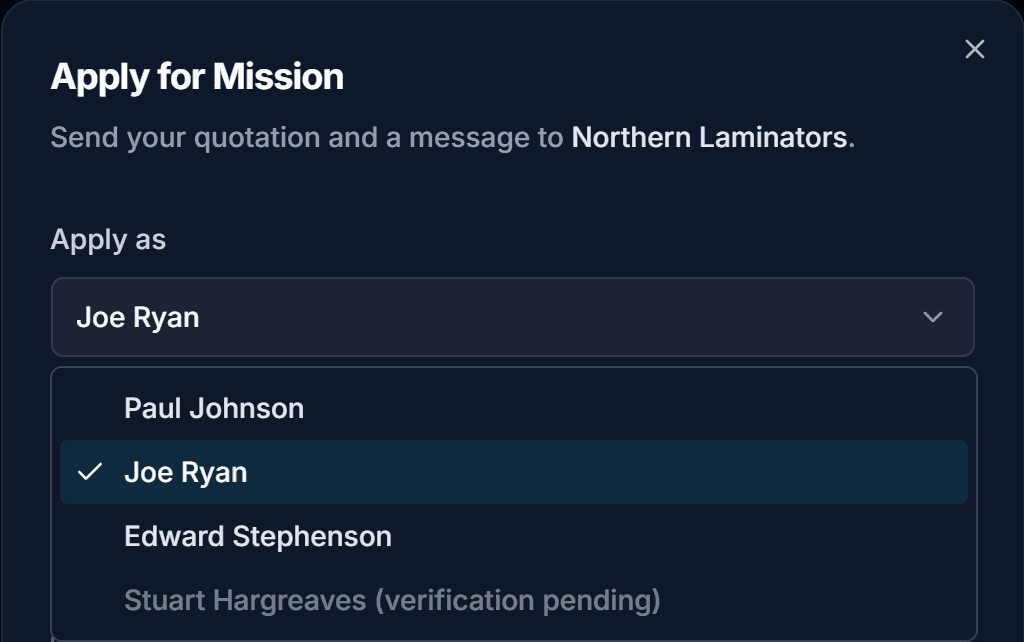
Choose who applies
- Apply as selector appears once you hold more than one profile
- Unverified profiles show disabled with verification pending
- Stops you putting forward somebody who would fail the requirements
- The company sees the profile you chose
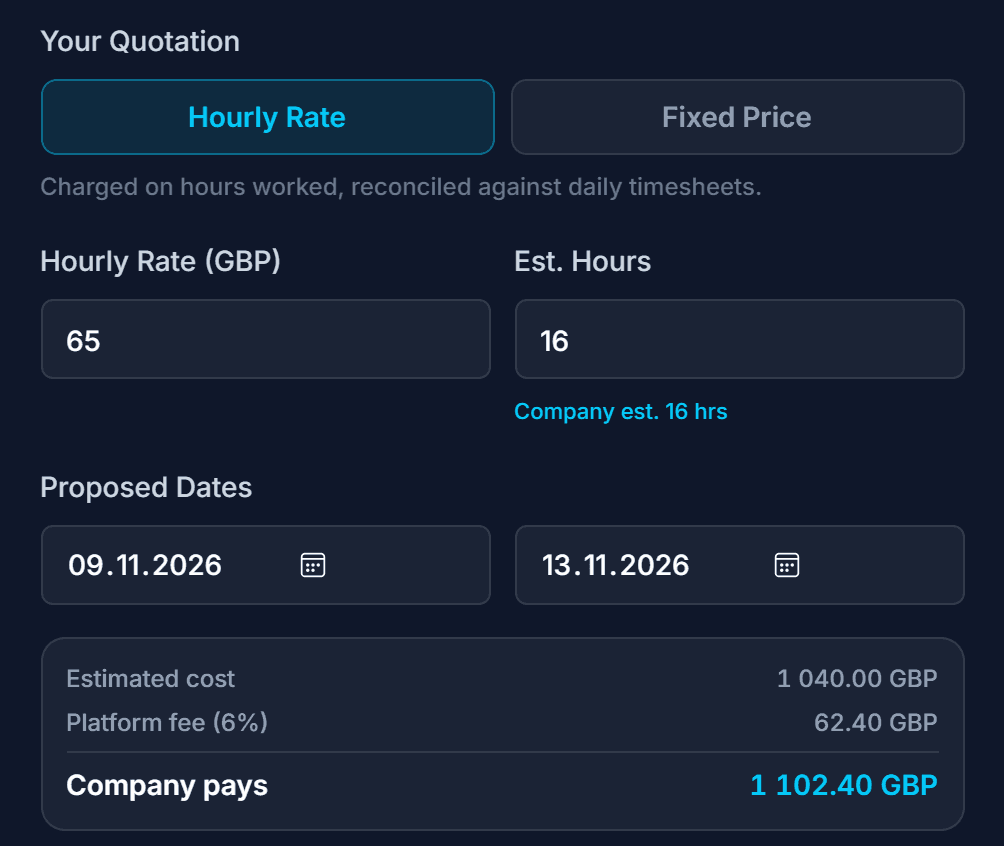
Quote hourly
- Your rate against the estimated hours
- Arithmetic shown before you send: your amount, the fee, the total
- You keep 100% of what you quote
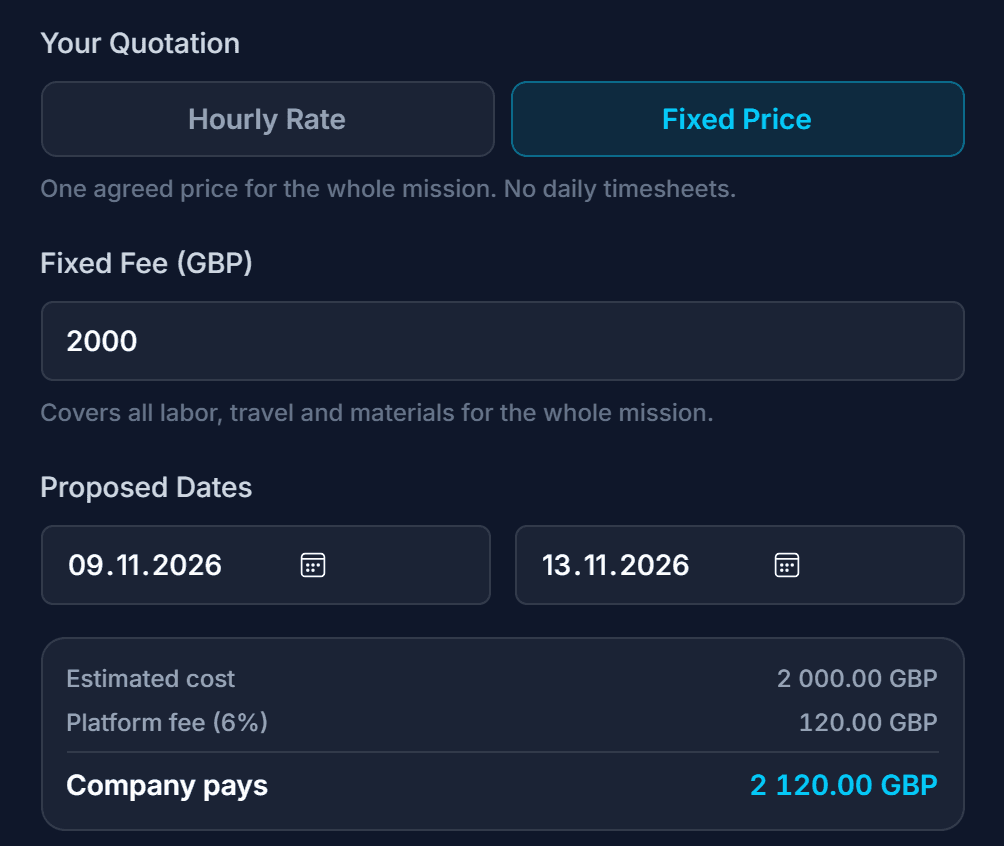
Or quote a fixed price
- One agreed price for the whole mission
- No daily timesheets, and certainty for the company
- Same 6%, calculated on the fixed fee
- Often preferred on repeat work: margin known before dispatch
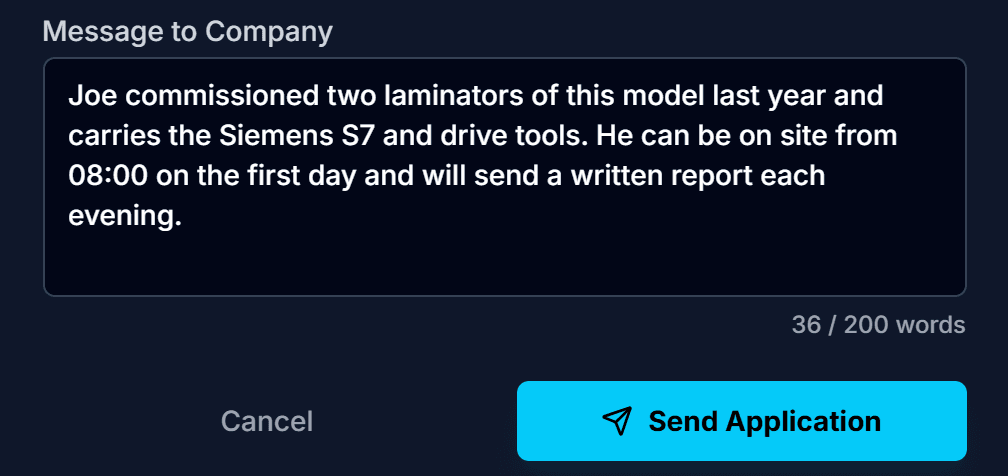
Send it with a message
- A short written pitch accompanies the quotation
- Explain why this technician suits this machine
- More persuasive than a generic company introduction
One Flat 6%, However Big the Team Gets
6%
flat platform fee
- 3% payment processing + 3% platform
- Marking a mission urgent adds 4%
- Nothing else is ever added
- Charged on top of the technician's rate, so the technician keeps 100% of what they quote
- Does not scale with headcount or mission length
- No separate charge for holding multiple profiles
- No per-seat cost for adding somebody to your team
- Agency margins are charged per technician, per hour, so they scale with your crew
- Commonly reported at 25% to 50% in industrial staffing
- A flat 6% is the same on one technician or ten, on two days or two months
The fee and your quote
The fee sits on top of your quote. It is not deducted, so the number you put in the quotation is the number that reaches your account. There is no agency margin to cover in your rate, and pricing stays the same across the team.
How Payouts Work Across a Team
- Every profile pays out to the same connected account, which is yours
- Whichever technician worked the mission, settlement arrives in one place
- The payout account must be set up before you can add anybody
- Team members inherit it
- Earnings are still attributed per profile in the roster
How you pay your technicians is between you and them: employees, subcontractors, whatever it is. It sits outside the platform.
Swapping a Technician on a Live Booking
Crews change. Somebody falls ill mid-mission, or a company invites the wrong profile. Don't cancel and rebook. Ask for the booking to be reassigned to another profile on your team.
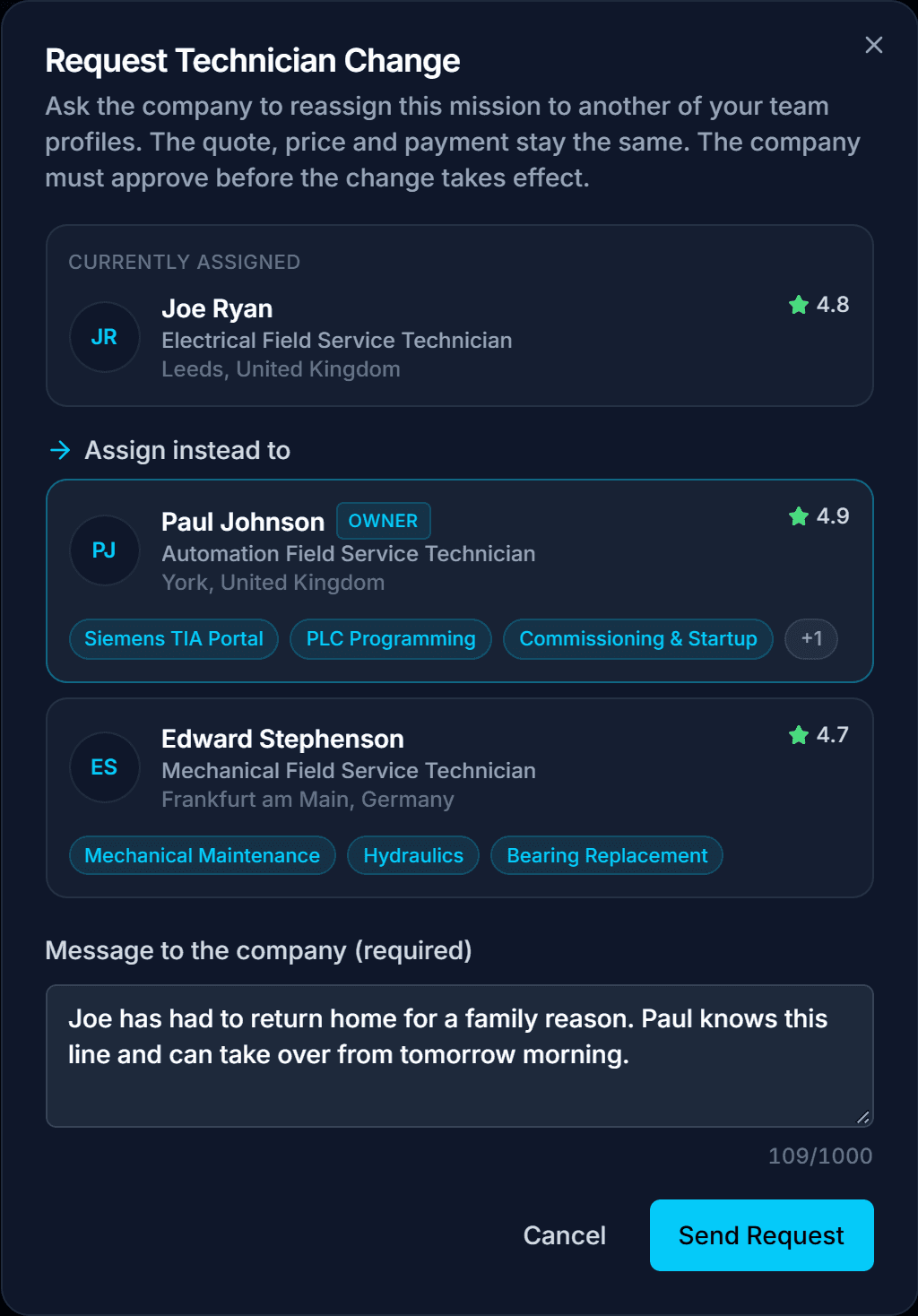
- The company must approve before anything changes
- They chose a specific technician, so they get a say in the replacement
- If they decline, the original technician stays assigned
- On approval, only the technician changes
- Quote, price and payment stay exactly as agreed
- Account-level insurance covers the whole team, so cover does not change
- Hours already logged stay attributed to the technician who worked them
When a swap is available
- While the booking is pending, confirmed, accepted or in progress
- Not once the mission is completed or cancelled
- Not while a booking is in dispute
- The incoming profile must be verified
- The incoming profile must not already have a booking on that mission
Giving a Technician Their Own Login
Any identity-verified technician on your team can be invited to a restricted login of their own. The person on site handles their own brief, hours and report, and you keep control of everything else.
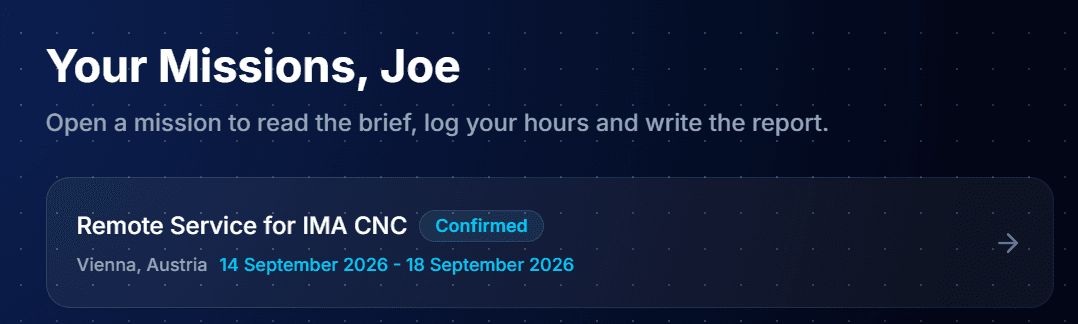
- Invite a verified technician with their own email; they set their own password
- They see only the missions they are booked on, nothing else on the account
- Each mission opens into the brief, timesheets and report, and stops there
- No access to your roster, quoting, payouts or the other profiles
- A single active mission drops them straight into it on sign in
- Revoke the login at any time; the technician profile itself is untouched
Scoped logins
On a busy crew you don't want to be the bottleneck for every timesheet and report. With a scoped login the technician who did the work records it directly. Allocation, pricing and payouts stay with you.
What Companies See
- Team membership is disclosed
- A profile shows that it belongs to your team
- Companies can expand the roster to view your other profiles
A company that has had a good mission with one of your technicians can see the rest of the crew. It may come back, knowing there is depth behind the person it already trusts.
Disclaimer: This guide is provided for general informational purposes only and does not constitute professional, legal, or financial advice. All rates, timelines, and market data referenced are indicative estimates based on general market observations and may not reflect current conditions. Actual costs, qualifications, and regulatory requirements vary by country, industry, and project. Always verify information with relevant local regulations, obtain professional advice where appropriate, and request multiple quotes before committing to any engagement. FindFST accepts no liability for decisions made based on the content of this guide.
Run Your Team on FindFST
Add your technicians, verify once, choose who goes to each mission. One login, one payout account, no per-seat charge.
Run your field service technician team on FindFST. No agency layers, just a flat 6% platform fee, and your technicians keep 100% of their rate.