What Is the FindFST Engine?
One engine sits behind every AI feature on FindFST. It reads what people upload and gives back suggestions a person confirms. Two rules hold everywhere:
- It suggests. Nothing reaches a mission, a machine or a profile until somebody clicks and saves
- It advises. The match score informs who a company invites and what a technician applies for, and decides nothing on its own
What it reads, and what it returns
Reading a Machine From Its Nameplate
The match is only as good as the machine record behind it. Adding a machine takes a photo or two, not a form. The details it reads are what drive the matching later.
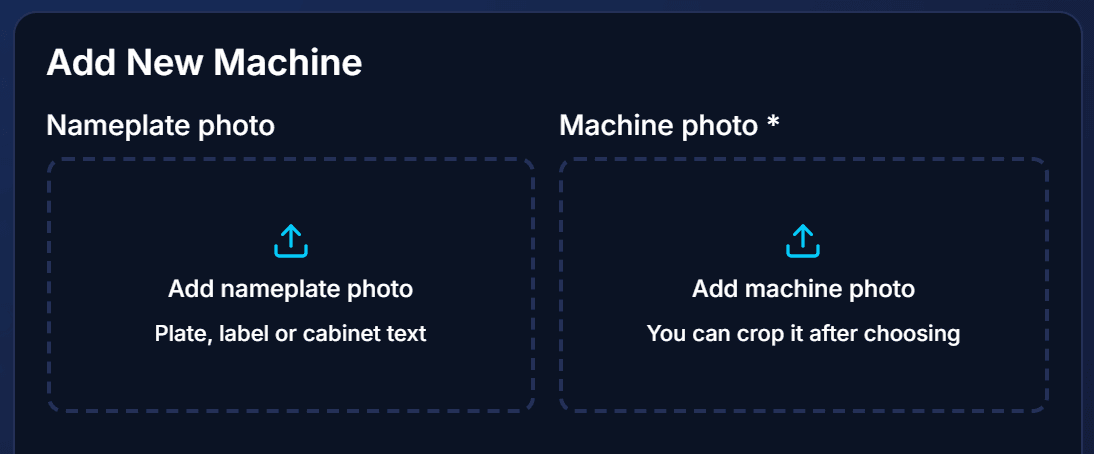
1. Add the photos
- Two slots: the nameplate, and the machine itself
- Either photo alone starts a read; both together give the richest one
- The nameplate is usually the better first photo, because it carries the data
- Further photos, manuals and datasheets can go alongside, up to 5 files
2. The engine reads them
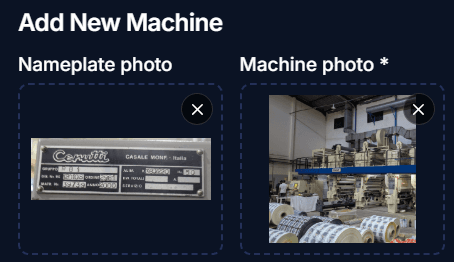
- A plate or cabinet label is read as printed
- The machine photo tells it what kind of machine the plate belongs to
- A crop is offered for the machine photo, so the frame shows the machine and not the hall
3. Identity, marked Check
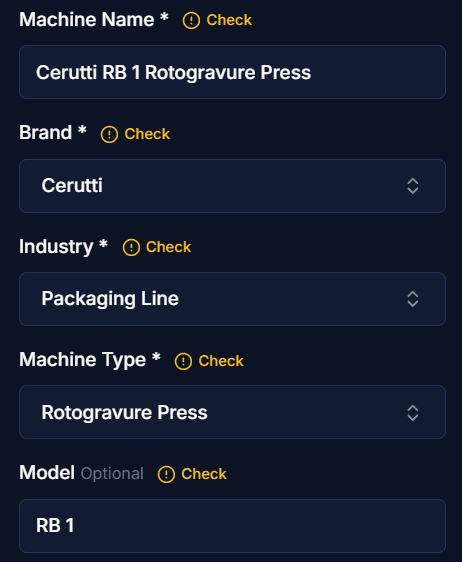
- Name, brand, industry, machine type and model are filled in
- Each carries a blue Check marker until you confirm it
- The brand is kept exactly as printed, never swapped for a better known maker
- Serial numbers are not copied into the profile
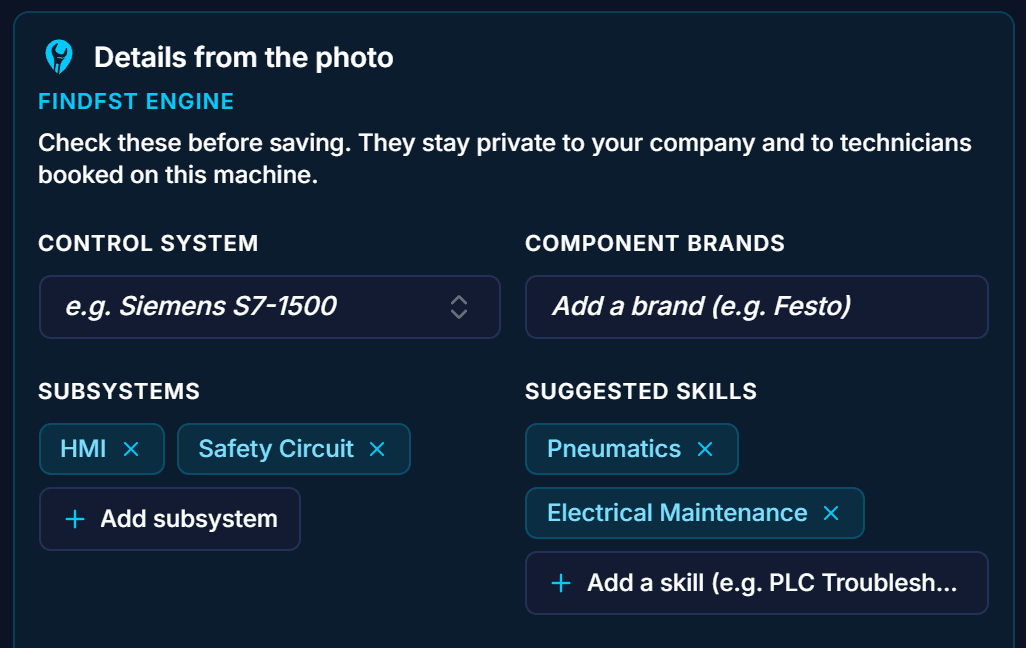
4. Technical details from the photo
- Control system, component brands, subsystems and suggested skills
- Private to your company and to technicians booked on that machine
- Selecting the machine on a mission later copies the relevant skills and brands into the mission requirements
5. Hazards and specifications
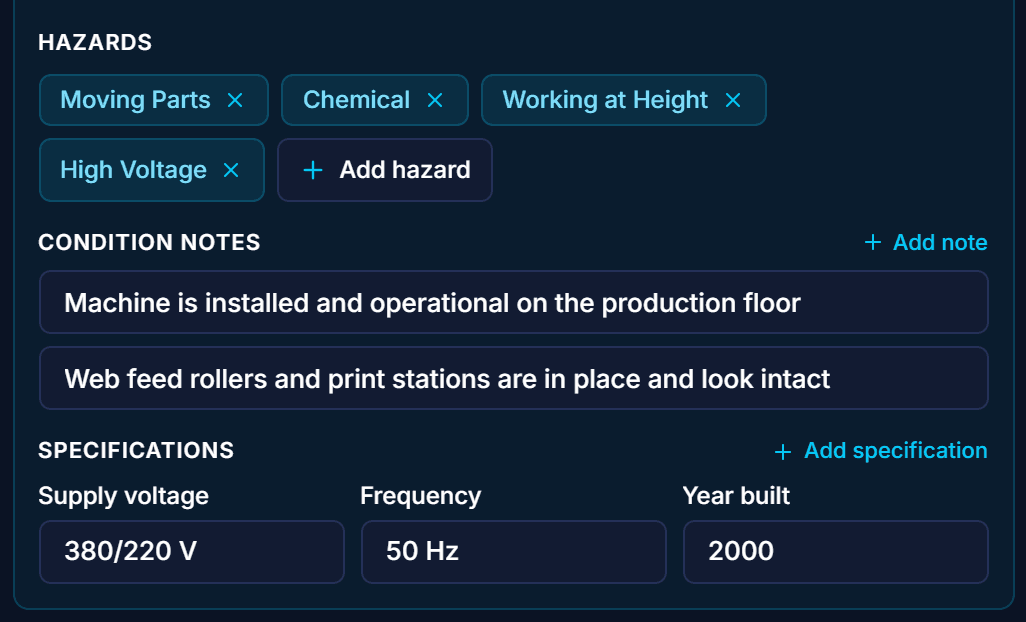
- Hazards such as moving parts, chemicals, working at height and high voltage
- Condition notes, and specifications such as supply voltage, frequency and year built
- Every field is editable, and nothing is saved until you press Save
AI Mission Descriptions: Drafting the Mission From Your Photos
On the mission form the photos come first. The engine turns them, the machine and the schedule into a first draft. You correct it in plain words.
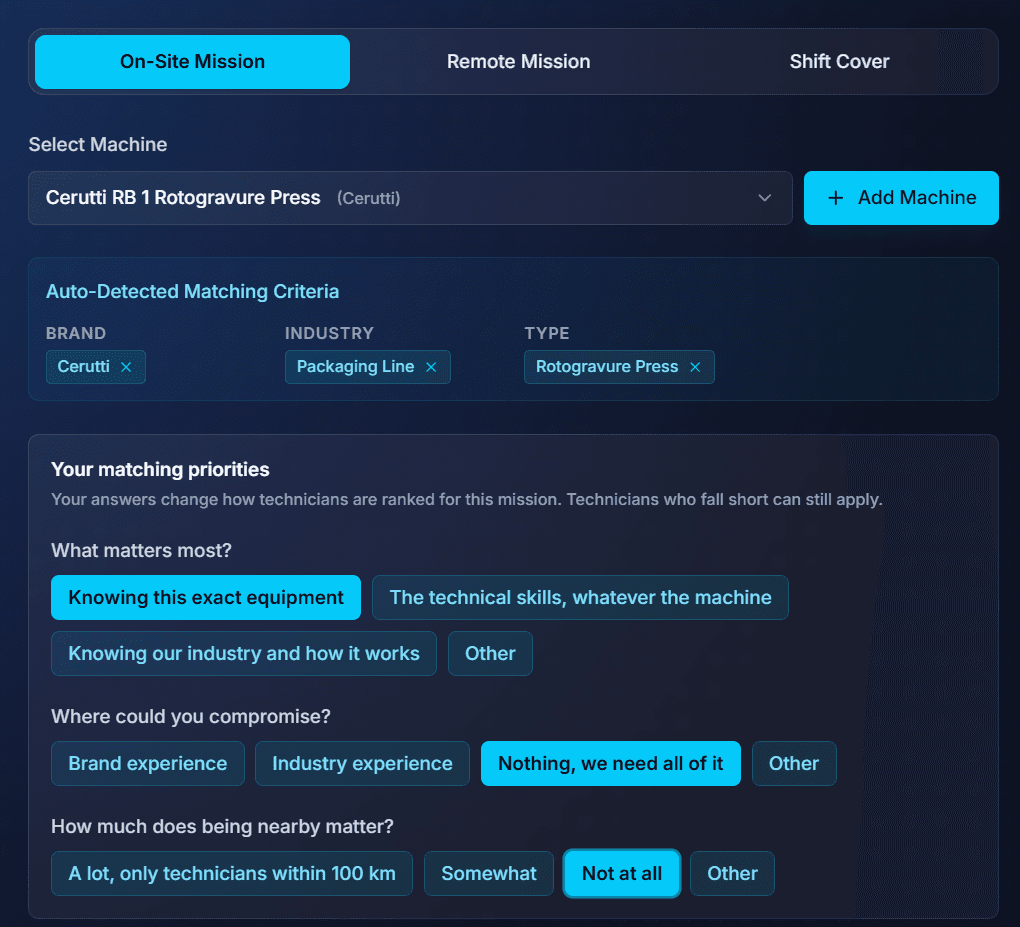
1. Select the machine and set your priorities
- The machine's brand, industry and type become the matching criteria, removable one by one
- Up to four questions: what matters most, where you could compromise, how much being nearby matters, and how much certifications matter
- The answers change how technicians are ranked, not who may apply
2. Add photos with a short note under each
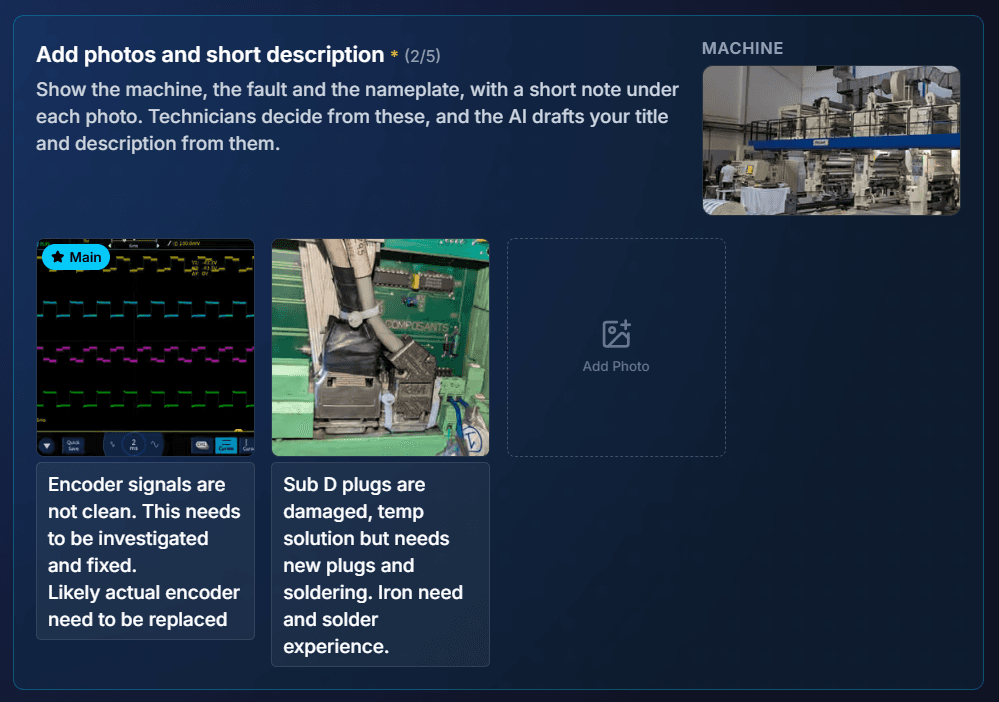
- Show the work that needs doing
- A short note under each photo says what it shows
- The photos are the engine's main source. A clear fault photo usually beats a wide shot of the line
3. Generate with AI
- One press drafts the mission title and the description
- Drawn from the photos and notes, the machine, the skills and the schedule
- 5 AI generations per mission, refines included

4. Review the suggested requirements
- Skills, certifications, parts, machine types, brands, industries and days needed
- Offered as chips, unchecked. Nothing is added until you click it
- Add them one by one, a group at a time, or all at once
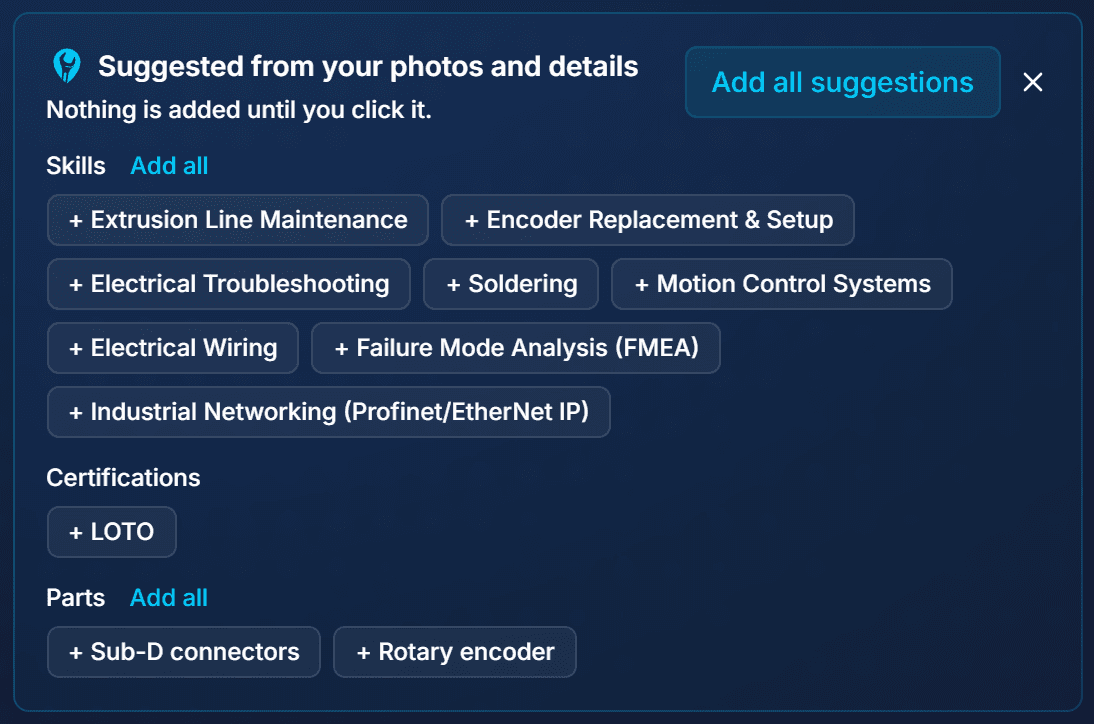
5. Accepted into the mission
- Accepted chips join the skills already derived from the machine
- Parts are listed for the technician to supply, and shown with the mission
- Certifications count towards the score, and technicians without one can still apply
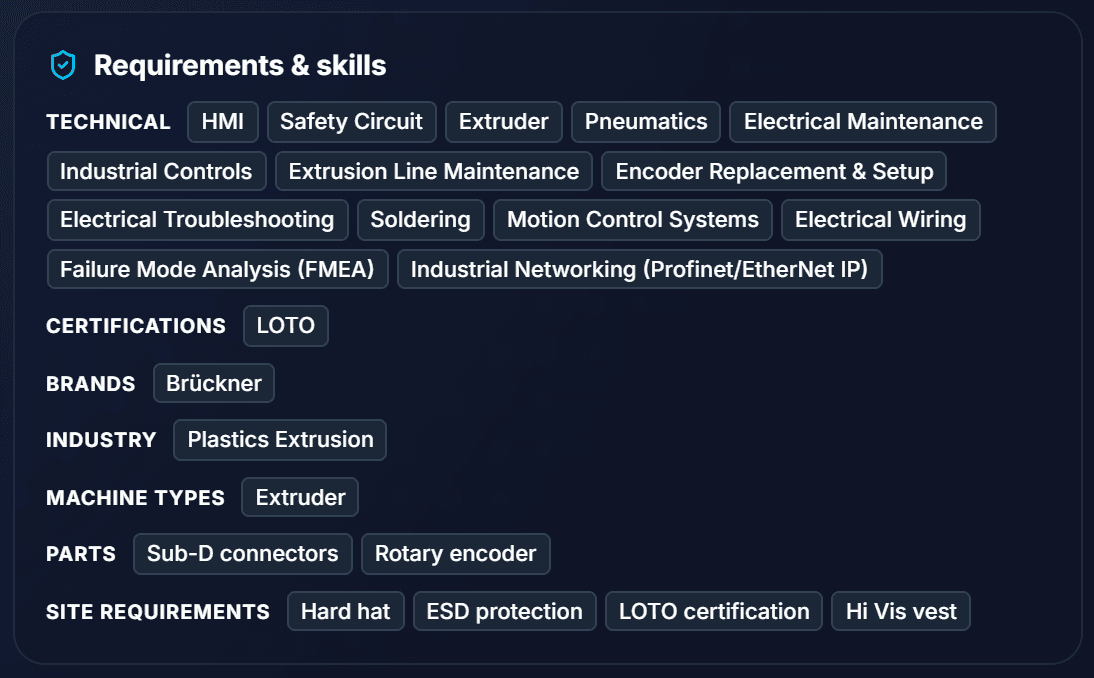
6. Refine in plain words
- Type the correction under the description and press Refine
- The description is rewritten and the suggested requirements are worked out again
- Skills the correction took out of the scope are offered for removal, marked in the skills list
- If the correction changes the work itself, the title follows, with Undo
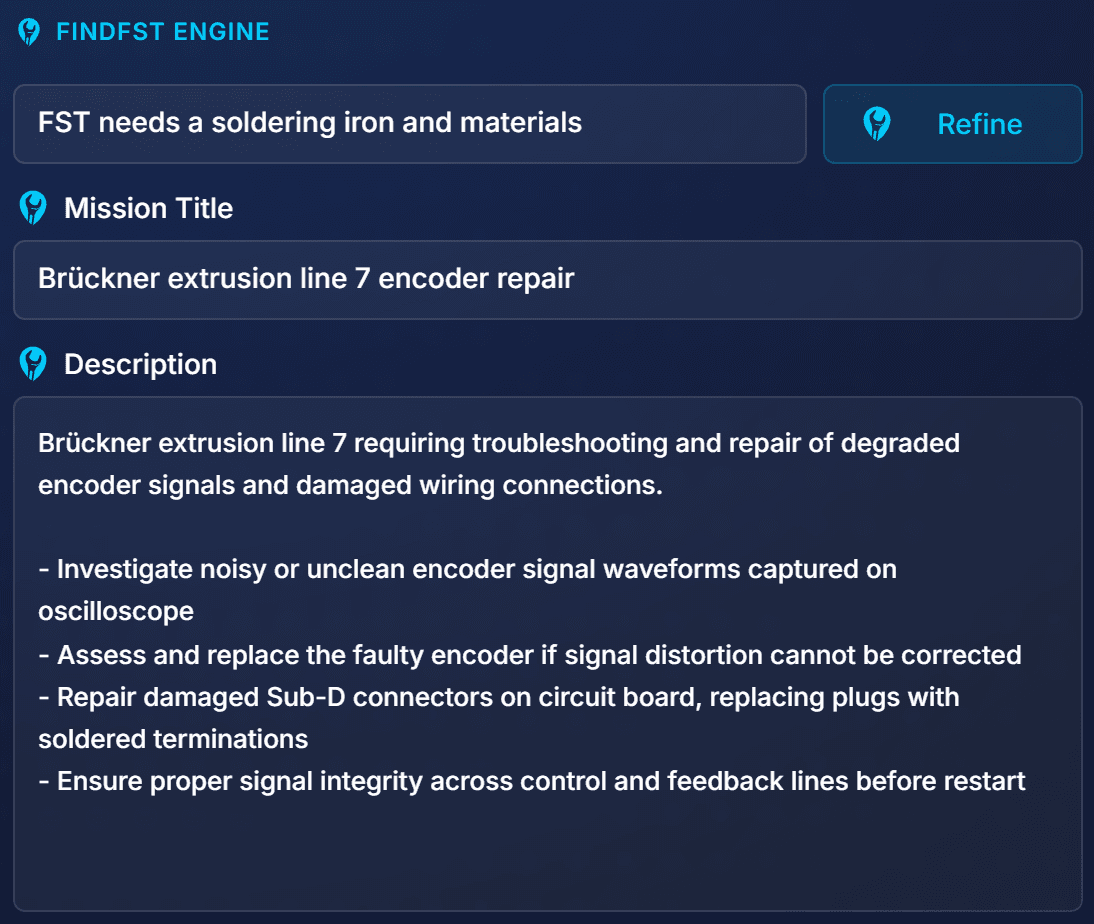
7. The refined description
- A short lead line, then bullets of the work to be done
- Dates written in full, for example 15 November 26
- Everything stays editable before you post
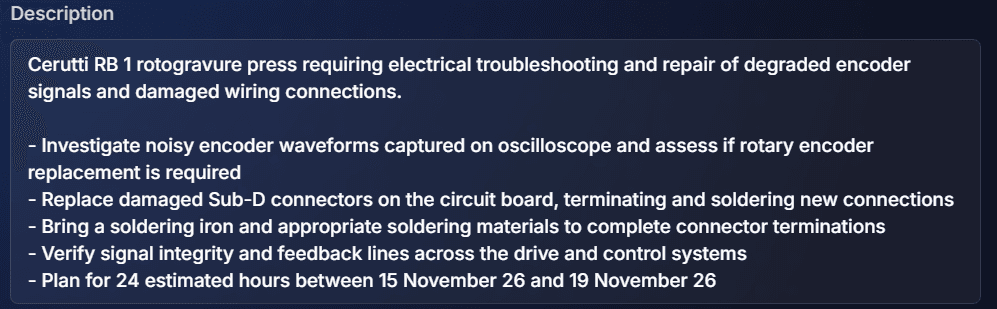
Worked example: Cerutti RB 1 rotogravure press
- Photos
- An oscilloscope trace of unclean encoder signals, and damaged Sub-D plugs needing new plugs and soldering
- Title drafted
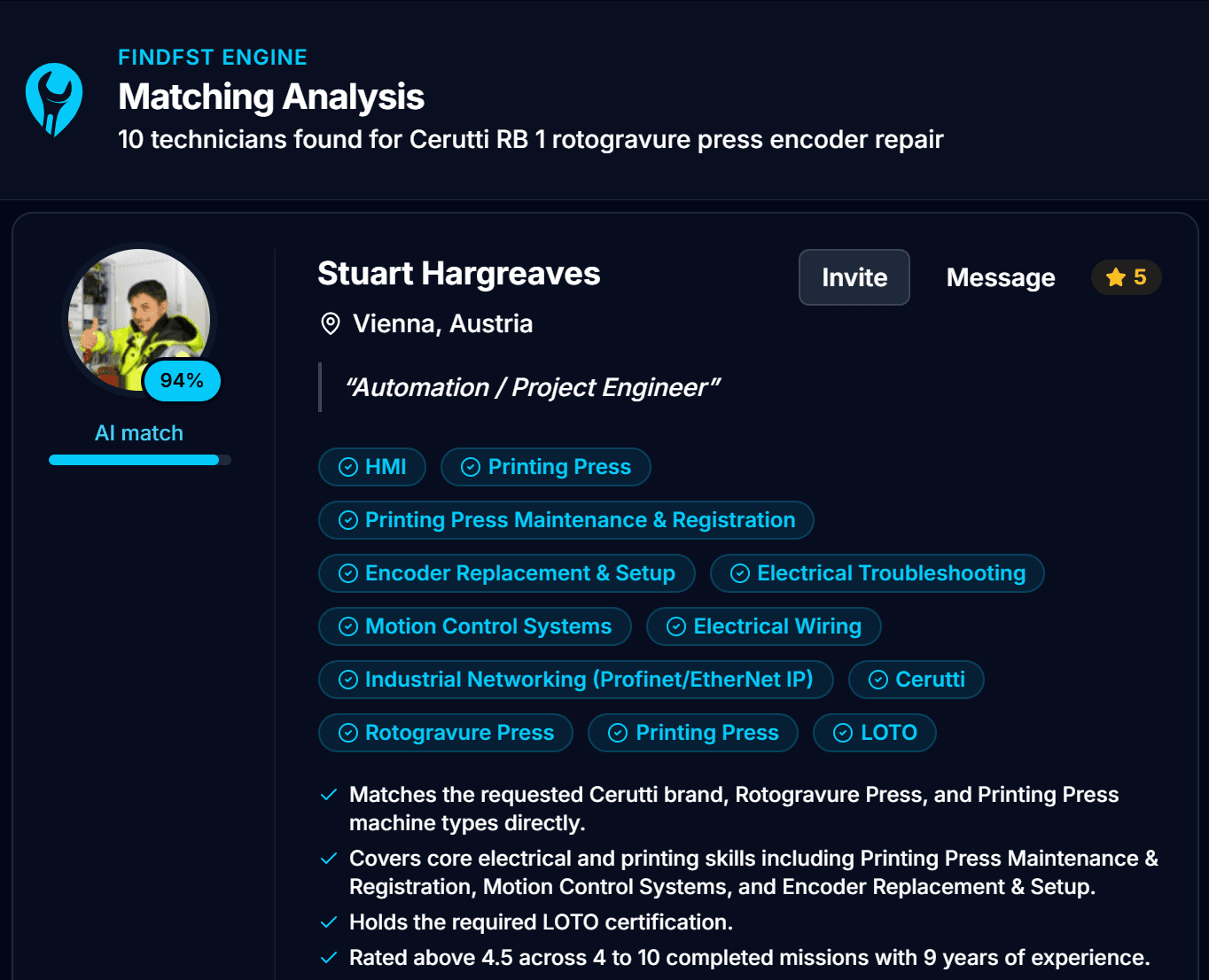
- Cerutti RB 1 rotogravure press encoder repair
- Suggested
- 8 skills including Encoder Replacement & Setup, Soldering and Electrical Troubleshooting; LOTO; Sub-D connectors and a rotary encoder as parts; Printing Press as machine type; 1 day
- Refine
- "FST needs a soldering iron and materials" added a line asking the technician to bring them
- Matched
- 10 technicians, the top one at 94%
How the AI Match Score Works
What is compared
- The mission: machine brand and type, industry, skills, certifications, mission type and your priority answers
- The technician: skills, brands, machine types and industries from the platform's own lists, certifications and years of experience
- Technicians covering the most requirements are shortlisted, and scored alongside everyone who applied
What comes back
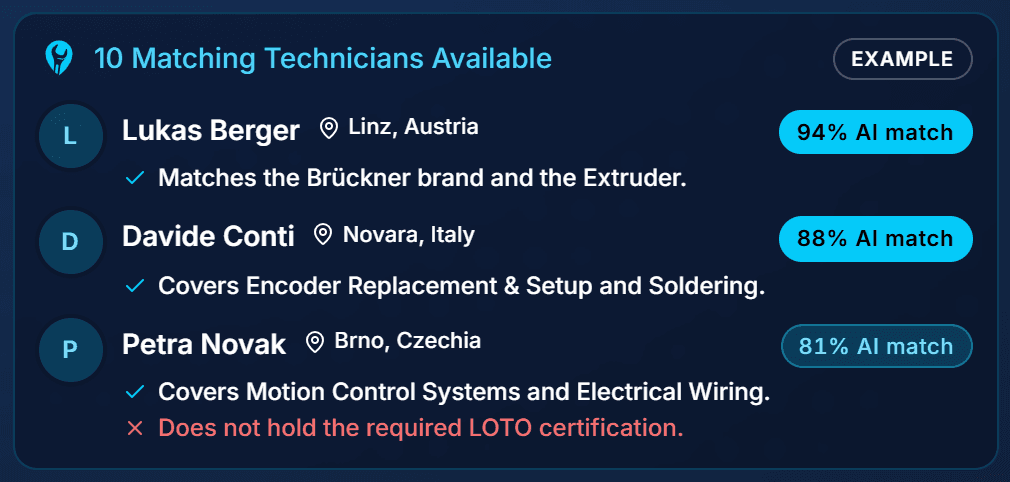
- A score from 0 to 100 against a fixed scale, not a ranking against the others in the batch
- Up to four reasons and up to four gaps, in plain words
- The same number for the company and the technician
How your answers shape it
- What matters most shifts the weight between the exact equipment, the technical skills and the industry
- Where you could compromise lowers the weight of brand or industry experience
- On an on-site mission, Local limits the list to technicians within 100 km and Regional to the mission's country. Applicants are still always shown
- Certifications set as essential weigh more than nice to have. Either way, they are scored rather than required
Reading a score sensibly
- The same pair can come back up to about 10 points apart, so treat a few points as level
- Scores are stored, and recalculated by themselves when the mission or the profile changes
- Read the reasons and gaps as well as the number. They say what fits and what is missing
- The score is advice. You choose who to invite and book
AI for Technicians: A Profile Built From Your CV and Reports
The engine finds a technician through the profile, so a thin profile rarely matches well. It fills the profile from the CV, reports and certificates a technician already has.
AI CV parsing for technicians
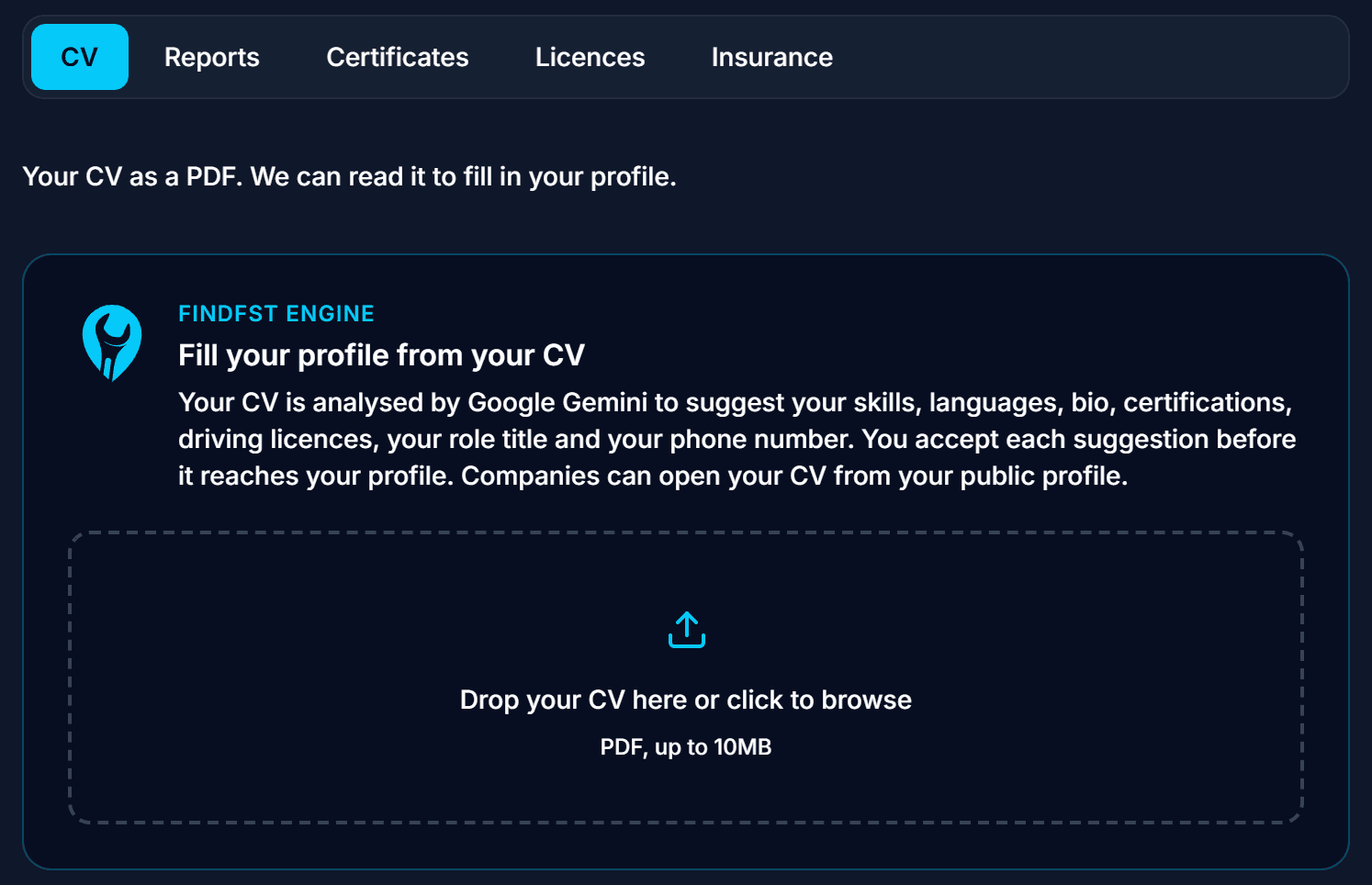
- Upload your CV as a PDF, up to 10 MB, on the Uploads tab of your profile
- Skills, industries, machine types, brands, languages, bio, certifications, role title and phone number are suggested
- Only numbers that are yours are offered: a referee's or an employer's number is not
- Companies can open your CV from your public profile
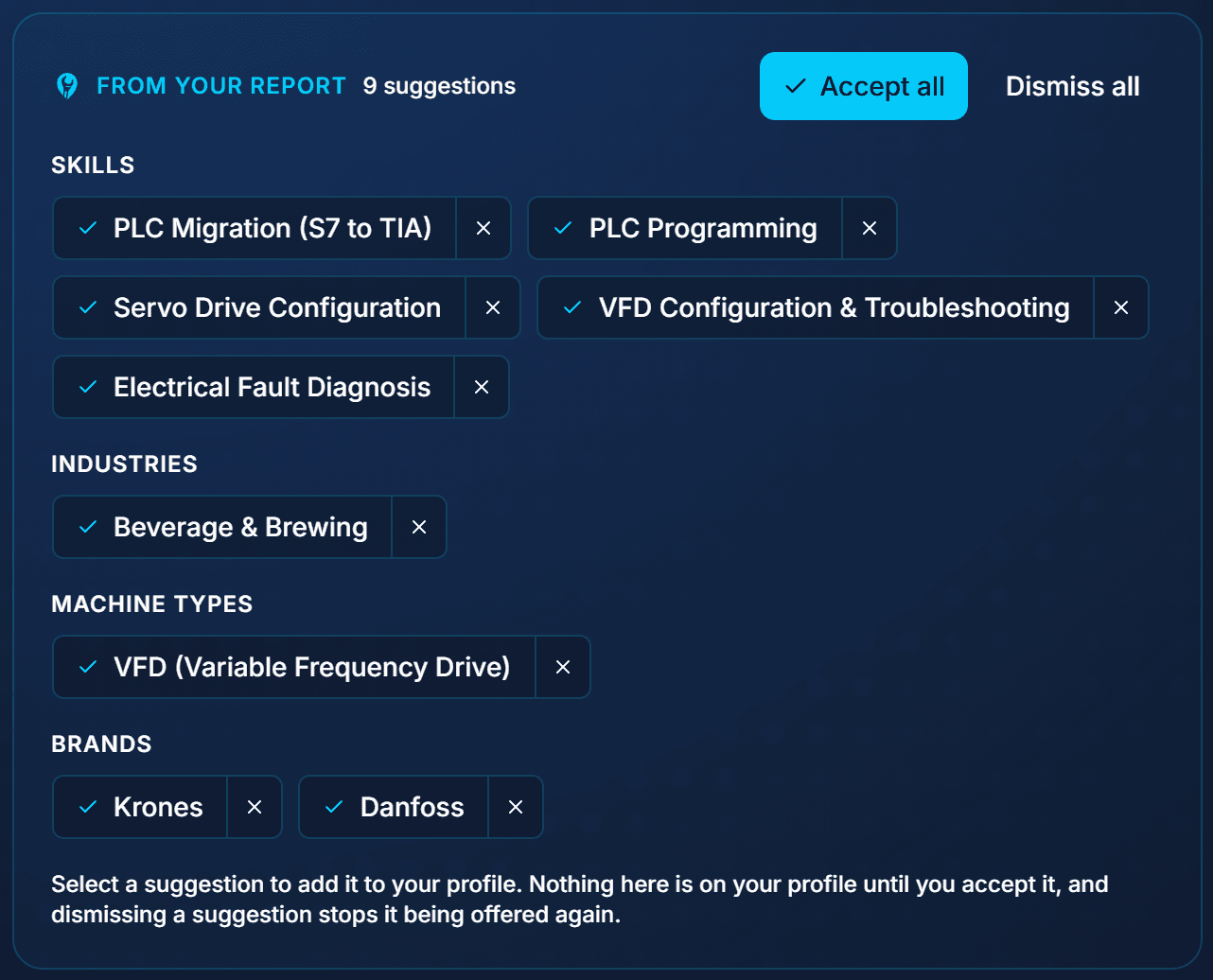
Accept what is right, dismiss the rest
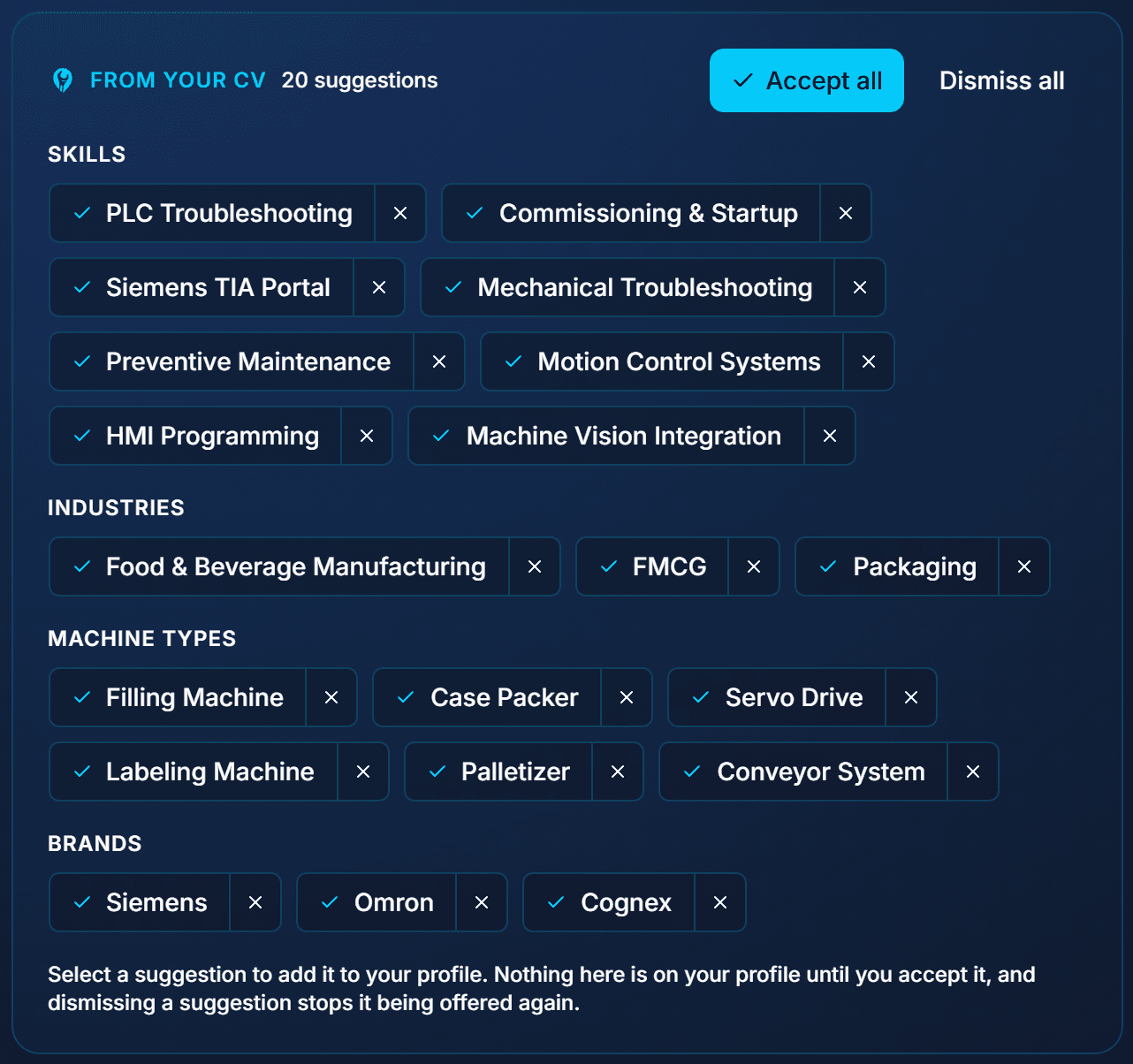
- Every suggestion is a chip. Nothing is on your profile until you accept it
- Accept all at once, or one by one
- A dismissed suggestion is not offered again
- In this example one CV produced 20 suggestions across skills, industries, machine types and brands
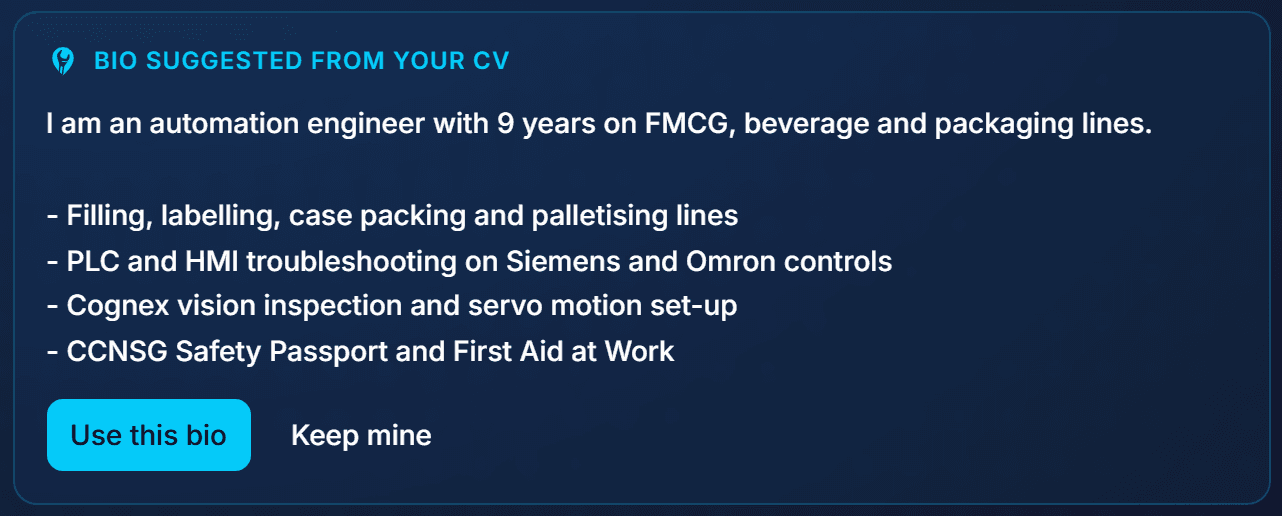
A bio in short bullets
- A lead line and a few bullets on what you specialise in
- Written from the CV, in the third person, without contact details
- Use it, edit it, or keep your own

Past reports as proof of work
- Upload service or inspection reports: PDF or image, 10 MB each, up to 20
- Each one is read automatically after upload, a few at a time
- A summary is drafted and stays private until you publish it
- Companies only ever see the summary you publish
What a report adds
- Skills, machine types, brands and industries the report shows you working on
- Offered as chips, exactly like the CV
- A report shows the work was done, which a CV line cannot
Certificates
- Type, issuer, number and dates read for you to confirm
- If no end date is printed, an expiry is suggested from the certificate type and marked for you to check
- A certificate that never expires can be marked as such
- Skills named on it are offered as chips
Your match on every mission
- Every mission you browse shows your AI match from 0 to 100
- Sort the list by Match score
- How this AI match works shows the reasons, the gaps and what the company said matters
- Updated by itself when you edit your profile
Mission report summaries
When the mission ends, Generate with AI drafts the report summary from your daily logs and their photos. Typically 4 to 8 short bullets. Refine it in plain words or edit it yourself before the company sees it.
What the FindFST Engine Never Does
Write without a click
Every draft and suggestion waits for a person to accept and save it.
Rename a machine
The printed brand is kept, and documents only ever add technical detail.
Score free text
Bios, names, places and notes never reach the ranking, so nobody can write their way up.
Weigh distance into the score
Distance only ever limits the list, when a company asks for local technicians.
Mark new technicians down
Track record appears in the reasons, never in the number.
Decide anything
No payment, booking or approval step reads the score.
How the Matching Improves
- Every completed mission is recorded against the match that led to it
- The record holds the score, the company's rating, whether there was a dispute, and how many days ran on schedule
- The engine is measured against those outcomes and its instructions are tuned from them
- The model does not retrain itself on your data. People review the results and change it on purpose
Frequently Asked Questions
Does the AI decide who gets booked?
No. It scores and explains. The company chooses who to invite and book, and the technician chooses which missions to apply for. No payment, booking or approval step on the platform reads the score.
Can a technician raise their score by writing a longer bio?
No. The ranking only sees structured profile data that matches the platform's own lists: skills, brands, machine types, industries, certifications and years of experience. A bio, a name, a place or any other free text never reaches it.
Does being new to FindFST lower a technician's score?
No. Rating and completed missions are named in the reasons, and a thin record can show up as a gap. But two technicians who meet the mission equally get the same score.
Does distance change the score?
No. When a company picks Local on an on-site mission, the matching list is limited to technicians within 100 km instead, and Regional limits it to the mission's country. The score itself stays the same, and applicants are always shown whatever the distance.
Why can the same pair score a few points apart?
The model does not give exactly the same answer twice. The same pair can come back up to about 10 points apart, so treat scores a few points apart as level. Each score is stored. It is only recalculated when the mission or the profile changes, or when the company asks for a refresh.
Does the AI change a mission, machine or profile on its own?
No. Every draft, chip and suggestion waits for a click, and nothing is saved until the company or technician saves it.
Is there a charge for the AI?
No. It is part of the platform. Daily limits apply per account and per document, so the service stays available for everyone.
Which AI does it use?
Google Gemini models, through Google's API. The upload cards say so wherever a document is read.
Disclaimer: This guide is provided for general informational purposes only and does not constitute professional, legal, or financial advice. All rates, timelines, and market data referenced are indicative estimates based on general market observations and may not reflect current conditions. Actual costs, qualifications, and regulatory requirements vary by country, industry, and project. Always verify information with relevant local regulations, obtain professional advice where appropriate, and request multiple quotes before committing to any engagement. FindFST accepts no liability for decisions made based on the content of this guide.
Put the FindFST Engine to Work
Add a machine, post a mission, and see who matches and why. Or upload your CV and let your profile fill itself in.
Hire industrial field service technicians directly, matched by the FindFST Engine. No agencies, just a flat 6% platform fee, and the technician keeps 100% of their rate.