
16 October 2026 · Product Update
FST Manager: Run a Team of Field Service Technicians From One Account
FST Manager is for anyone who sends more than one field service technician out, such as a small service company or a team lead. Every technician gets their own profile under one account. There is no limit on team size and no per-seat cost.
Each technician keeps their own:
- Name, location and public profile
- Skills, machines and industries
- ID check and certifications
- Completed missions and earnings
The account shares:
- One payout account
- Liability insurance, linked to each profile
- One login and one set of notifications
- One view of every live booking
How it works
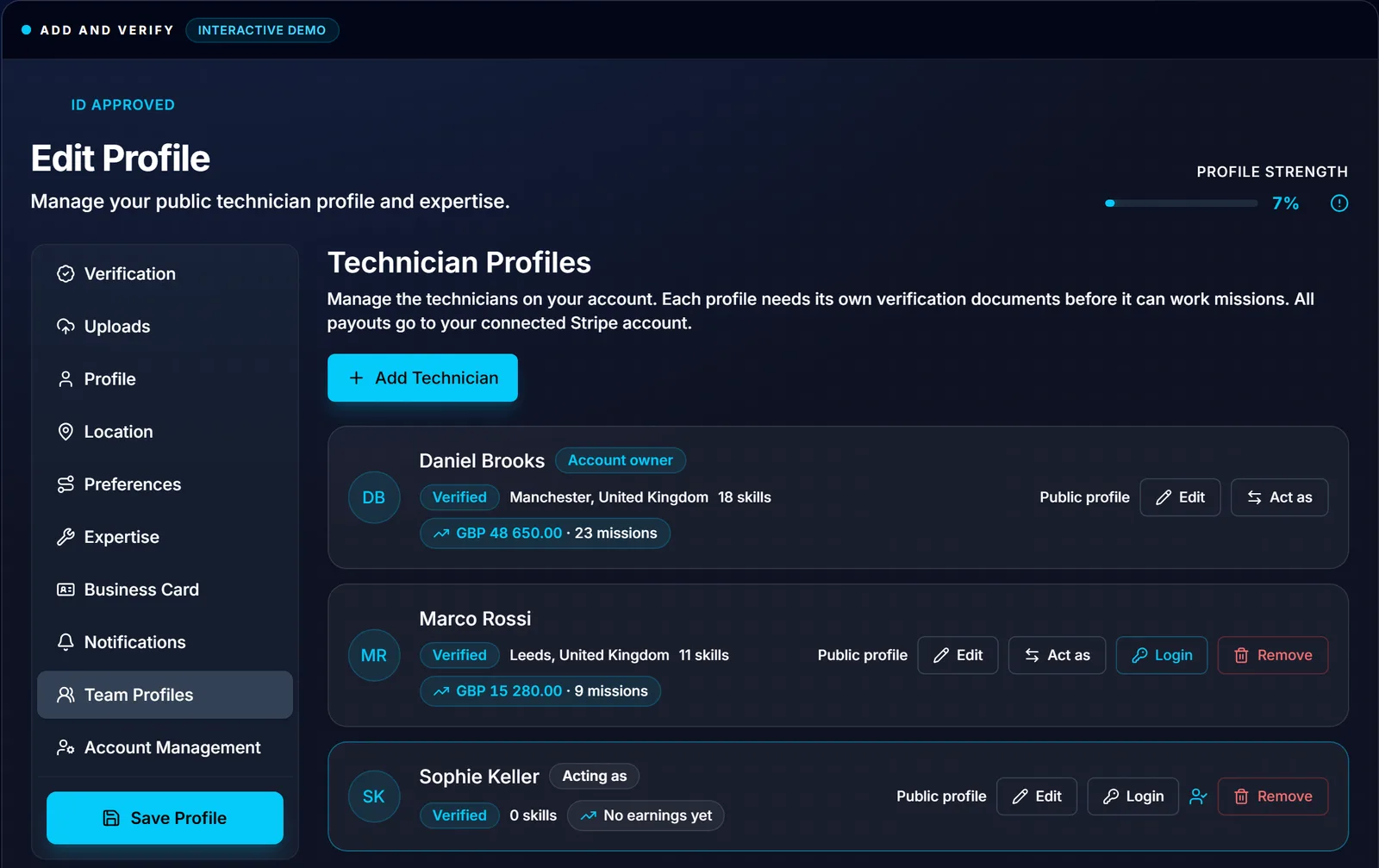
1. Build the team. Add a technician with a first and last name and upload their passport or ID card. FindFST checks each ID, and a profile cannot be sent to a mission until its ID is approved. Upload their CV and past reports, and the FindFST Engine suggests skills, certifications and a bio; nothing reaches the profile until you accept it.
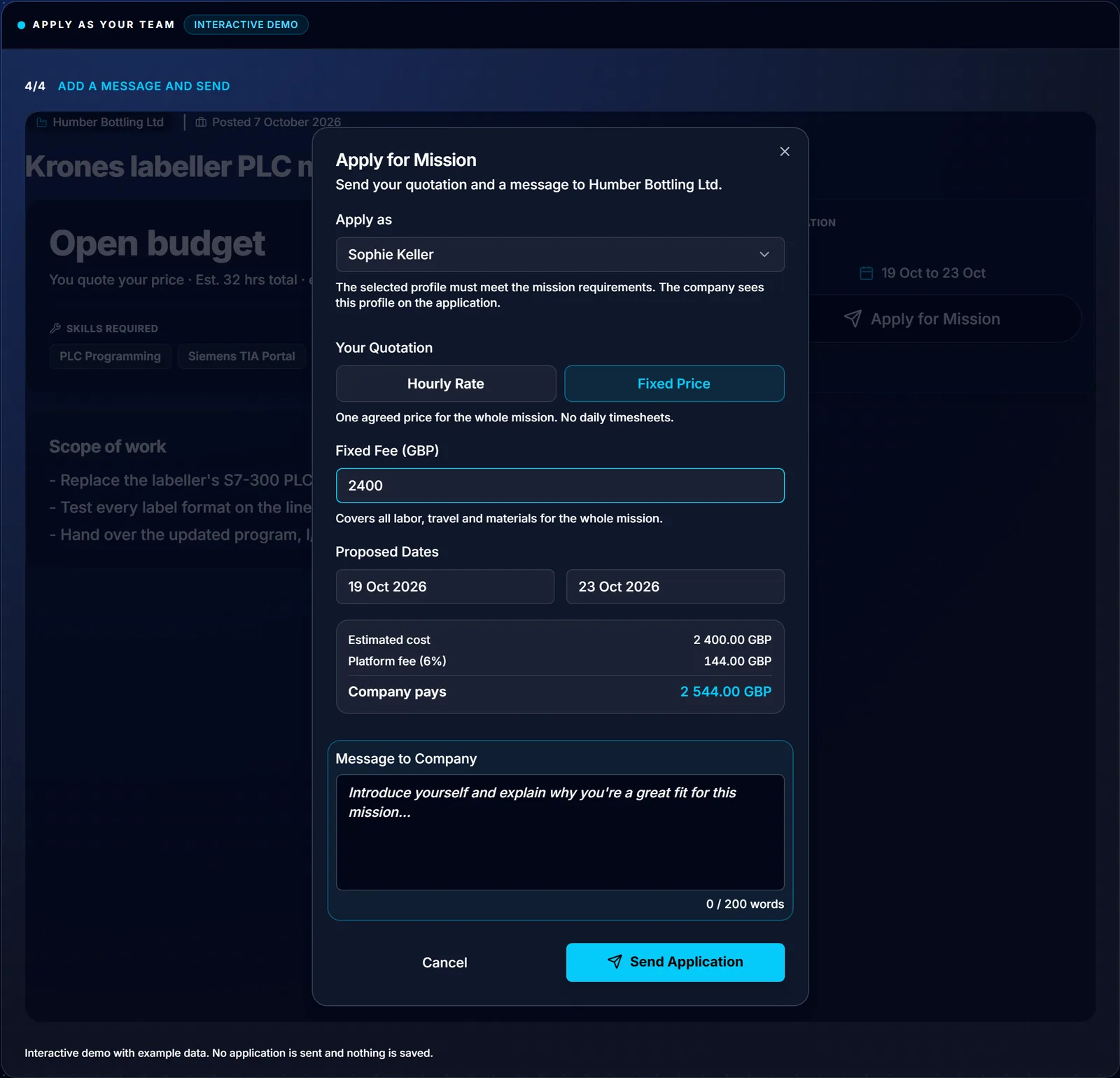
2. Apply as any of them. The Apply as selector picks who goes, and the company sees that technician's profile. Quote hourly or a fixed price, and see the platform fee and the company's total before you send it.
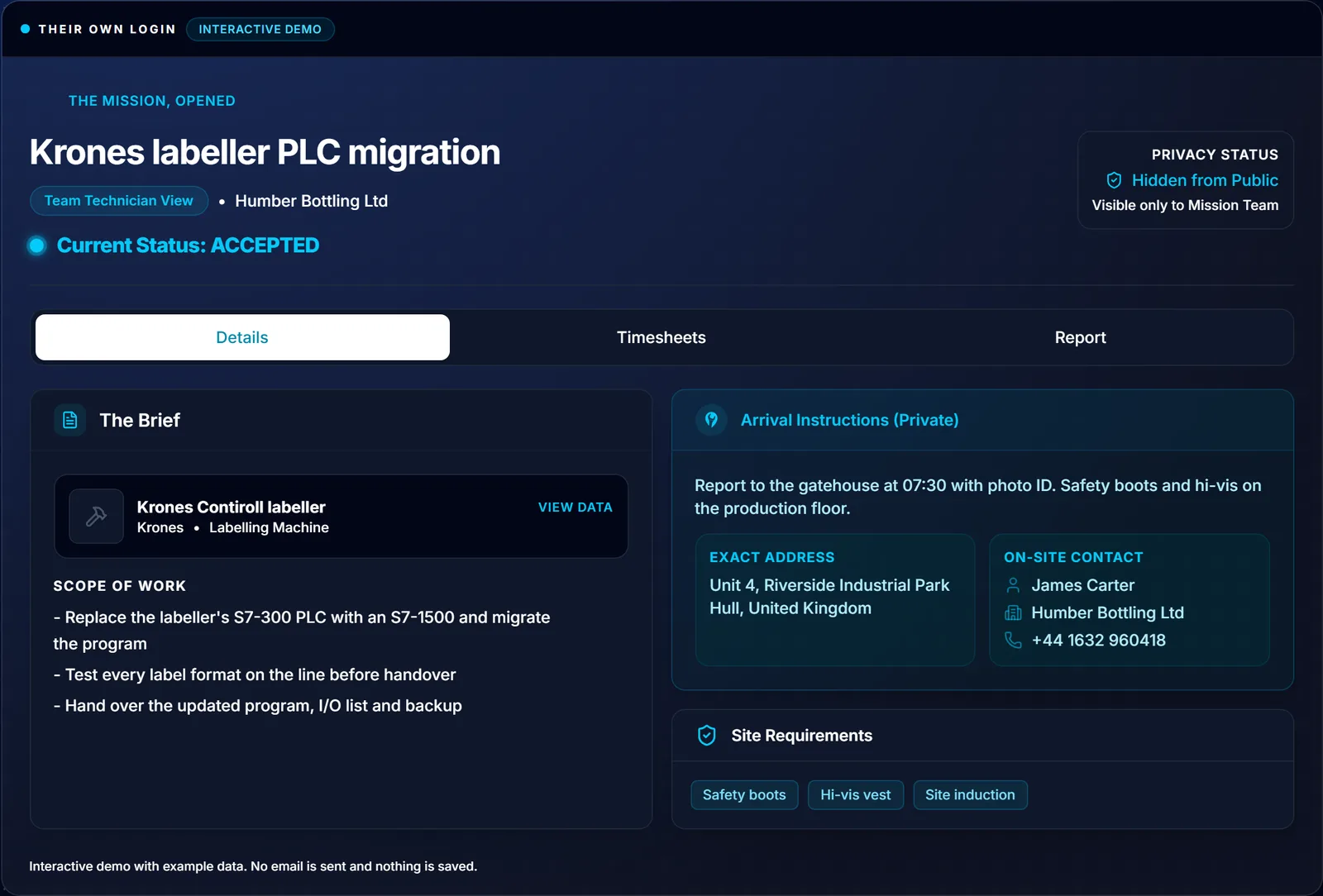
3. Give them their own login. Invite a verified technician by email. They see only the missions they are booked on, where they read the brief, log hours and write the report. They cannot see the roster, quotes, payouts or other profiles, and you can revoke the login at any time.
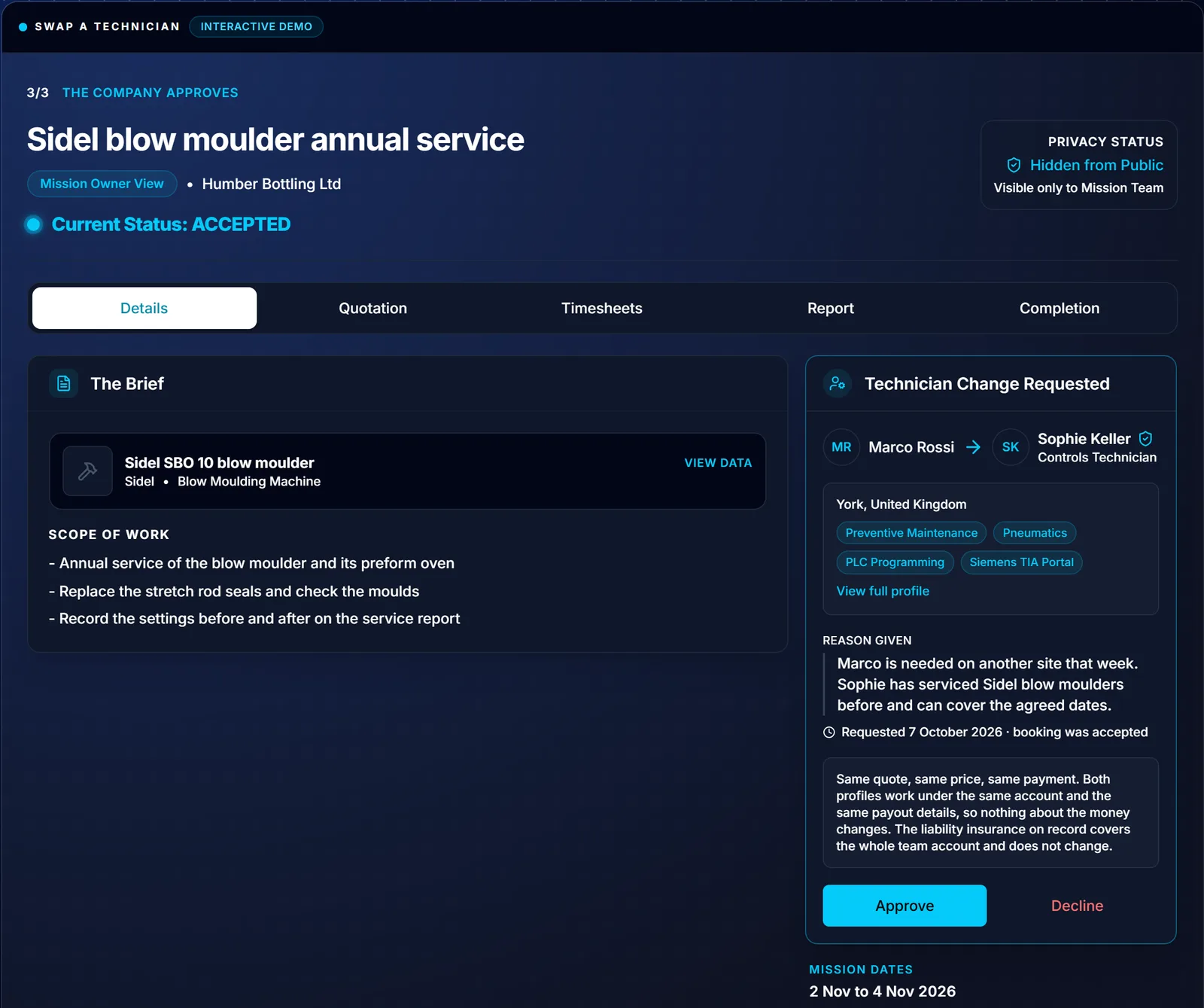
Swapping a technician
On a live booking you can request a different technician from your team, and the company approves the swap. The quote, price and payment stay as agreed, and hours already logged stay with the technician who logged them.
Fees and payouts
The company pays the same flat 6% platform fee on top of your quote, whatever the size of your team, and you keep 100% of what you quote. Every mission pays into your one payout account with earnings shown per profile. How you pay your technicians is up to you.
“A team lead knows who should go to which site. The platform is there to hold the IDs, the quotes and the payouts in one place, and leave that decision to them.”Neal Wareing, Founder and CEO of FindFST Sàrl
Creating an account is free. See how it works at findfst.com/fst-manager or in the FST Manager guide.